Best 10 List of User Agents for Testing and Bot Detection

A QA engineer ships a property listing page that renders correctly in Chrome, then finds the map controls unusable on an iPhone. The server logs mark the request as mobile, and the flag is wrong. The page isn't the only thing to inspect. The User-Agent may have been reduced, misread, or declared by software that isn't what it claims to be.
A useful list of user agents helps you recognize common browser and client patterns. Treat it as metadata, never as an authentication signal. The HTTP standard describes User-Agent as a product identifier with optional comments and recommends sending it with requests unless configured otherwise. The HTTP specification also cautions against overly detailed strings, because extra tokens widen the fingerprinting surface.
Ten examples follow. Each pairs the tokens that matter with a parsing mistake teams make and a test you can run against a real-estate search page or a data pipeline. Use the string to steer testing and log analysis, not to decide who gets access. When a device check has to hold up against a spoofed header, the limits of using browser fingerprints to flag payment fraud apply to property portals in exactly the same way.
1. Chrome on Windows 10 Desktop User-Agent String
A desktop Chrome request often contains several compatibility tokens, not just the browser's name. Consider this representative example:
Mozilla/5.0 (Windows NT 10.0; Win64; x64) AppleWebKit/537.36 (KHTML, like Gecko) Chrome/124.0.0.0 Safari/537.36
The useful signals are Windows NT 10.0, Win64; x64, and Chrome/124.0.0.0. AppleWebKit/537.36 and Safari/537.36 are compatibility-era tokens in this Chromium string. Don't conclude that the browser is Safari because the word appears. The MDN reference for the User-Agent header documents how one string can combine a compatibility prefix, product names, versions, and other identifiers.
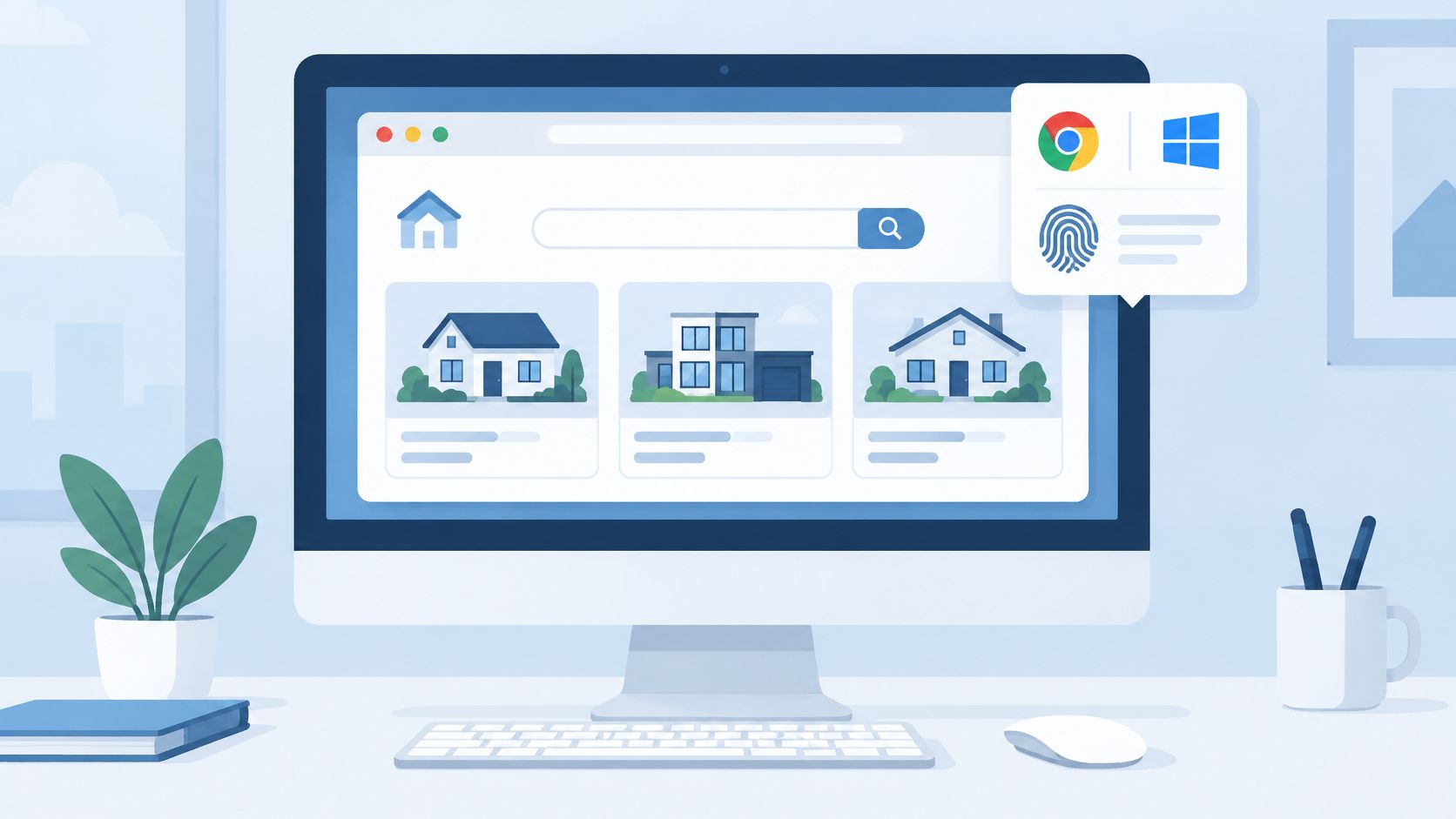
Use it as a rendering baseline
For a property search page, use this string to check desktop navigation, filter panels, map interactions, and listing-card layouts. A practical test is to search for a destination, change a price filter, open a listing, then return to the results. That catches layout regressions that a static screenshot can miss.
Parsing rule: Match the specific
Chrome/token for the browser family. Don't classify the request as Safari just becauseSafari/is also present.
Chrome's User-Agent reduction makes exact-string matching a poor foundation for device detection. Supporting browsers may omit or standardize details such as exact operating-system version, device model, and minor browser version. When the browser exposes them, structured Client Hints such as Sec-CH-UA, Sec-CH-UA-Mobile, and Sec-CH-UA-Platform can provide a more useful alternative, but they're optional and may require server opt-in. Treat missing hints as unknown, not as evidence of a bot.
For a quick integration test, open the RealtyAPI API Playground and inspect a live response alongside your browser's network request. That separates API response problems from assumptions your front end makes about the client.
2. Safari on iPhone (iOS) User-Agent String
An iPhone Safari request typically declares its device family and includes separate operating-system and browser-version tokens:
Mozilla/5.0 (iPhone; CPU iPhone OS 17_4 like Mac OS X) AppleWebKit/605.1.15 (KHTML, like Gecko) Version/17.4 Mobile/15E148 Safari/604.1
Look for iPhone, CPU iPhone OS 17_4, Version/17.4, and Mobile. The Version/ value is the Safari version indicator in this example. Don't treat AppleWebKit as a Safari-specific identifier by itself. The surrounding tokens provide more context, and string formats can vary.
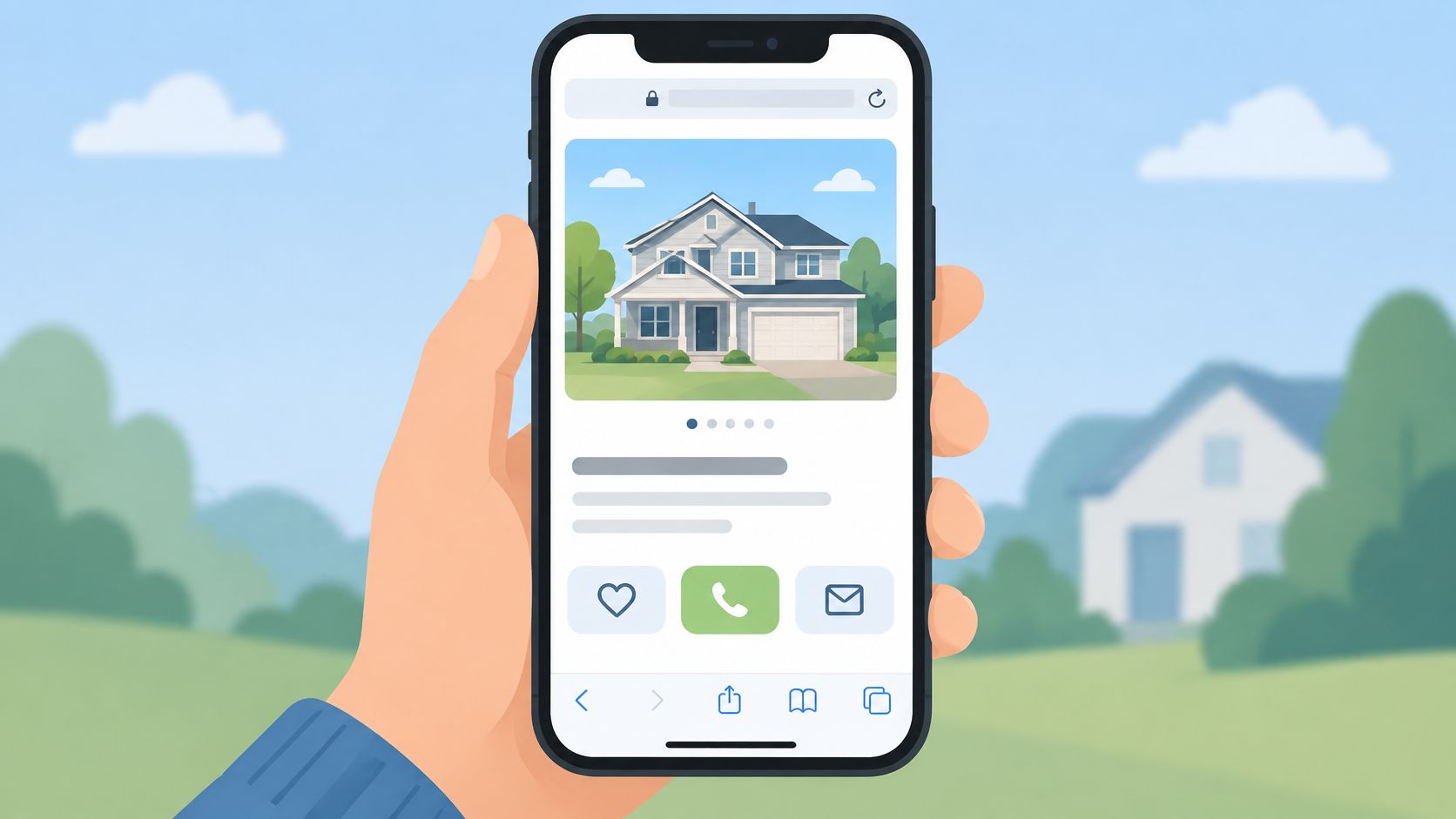
Test touch and viewport behavior
Use this string when checking a property gallery, map, and filter drawer on a phone-sized viewport. Try pinching the map, tapping a listing card, opening an image, and dismissing a full-screen view. A UA check can help select a test case, but CSS media queries should control layout. Screen width and pointer capability are more direct inputs for responsive design.
A common mistake is to equate any mobile-looking Apple string with an iPhone. iPadOS can use a desktop-like User-Agent, so a device check based only on Mobile can miss tablet behavior. Even a string containing iPhone doesn't prove the request came from an unmodified iPhone browser. User-Agent values are client-supplied and can be changed.
Use the sample for a regression scenario where a property map needs to remain usable while the listing gallery opens. Verify that the page includes the viewport metadata, that controls remain reachable, and that the gallery doesn't trap the user without a clear close action.
3. Firefox on Windows User-Agent String
Firefox announces itself with a Firefox/ token and a Gecko engine marker:
Mozilla/5.0 (Windows NT 10.0; Win64; x64; rv:125.0) Gecko/20100101 Firefox/125.0
The rv:125.0 value is a rendering-engine revision marker. For browser classification, parse Firefox/125.0. Don't use rv: as the browser version, because it describes a different part of the string and may not be the token your analytics or test tooling expects.
Exercise the independent rendering path
Include Firefox in cross-browser tests for map widgets, property filters, and form validation. A useful scenario is to select a location, apply several filters, then clear one filter and confirm the result count and map update together. That checks both interaction state and rendering beyond just confirming that the page loads.
The obvious mistake is testing only Chromium-based browsers and treating the result as proof that every desktop browser behaves the same way. Firefox uses Gecko, so a CSS or JavaScript issue can appear differently from the same page in Chrome. Keep the test focused on user-visible behavior, such as whether a date picker opens, a menu receives keyboard focus, or a map stays responsive after filtering.
Practical rule: Use
Firefox/to classify the browser. Keeprv:available for diagnostics, but don't substitute it for the browser token.
For an API or analytics pipeline, preserve the full raw string for troubleshooting while storing a normalized browser family separately. That lets you compare results without making every version change look like a wholly new client.
4. Microsoft Edge on Windows User-Agent String
Edge resembles Chrome in this example, but its identifying token is Edg/:
Mozilla/5.0 (Windows NT 10.0; Win64; x64) AppleWebKit/537.36 (KHTML, like Gecko) Chrome/124.0.0.0 Safari/537.36 Edg/124.0.0.0
If a regular expression checks Chrome/ first, it may label this request as Chrome and never reach the Edge token. Check for Edg/ before the broader Chromium-compatible pattern. Keep both the browser family and raw header in your logs so support can distinguish a classification mistake from an actual rendering issue.
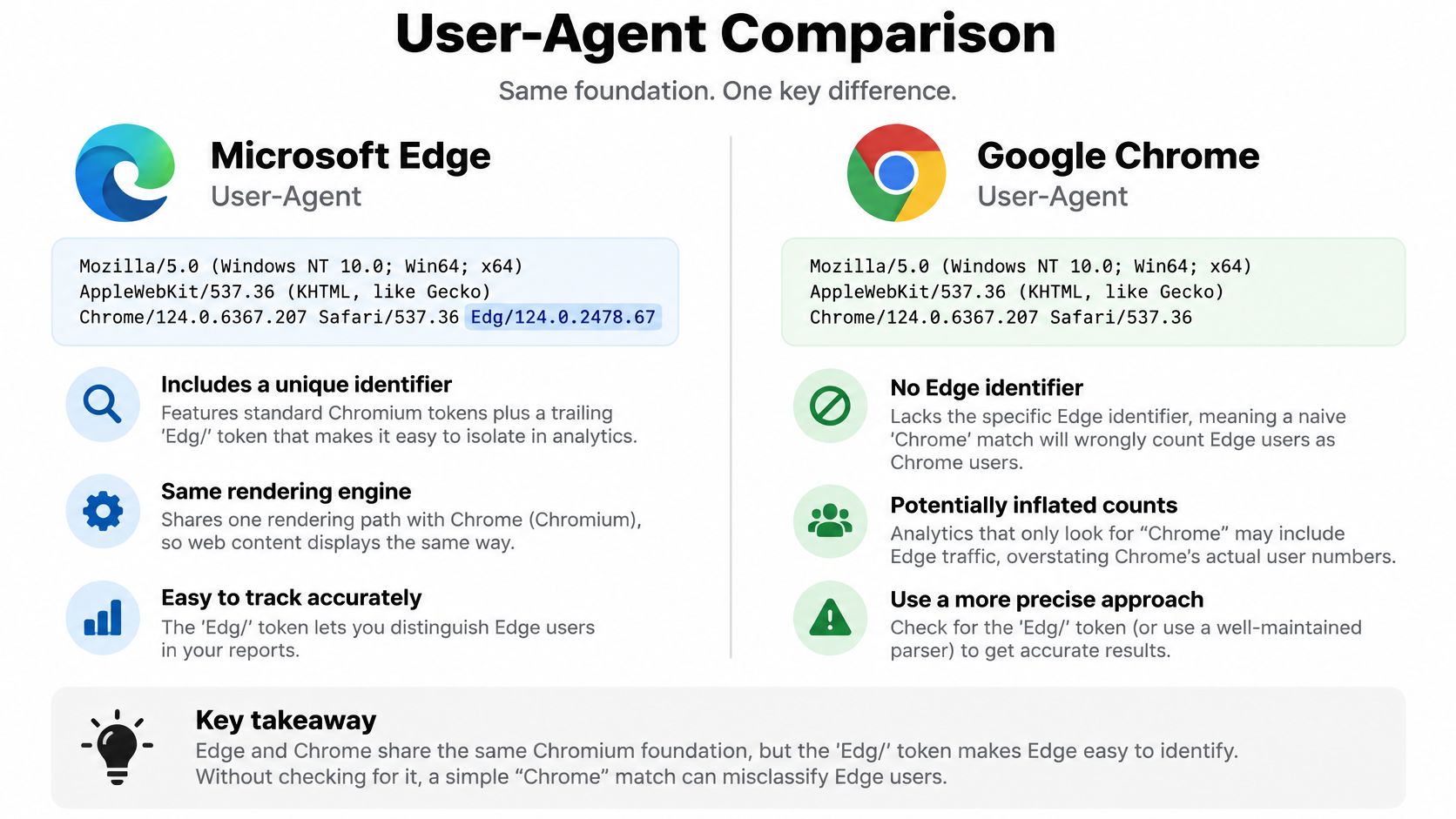
Separate reporting, not necessarily code paths
Edge and Chrome share a Chromium foundation, so a site often doesn't need an entirely separate rendering implementation for each. Analytics and bug reports may still need distinct browser labels. If a brokerage reports that a sign-in loop occurs only in Edge, collapsing its traffic into Chrome can make the problem harder to isolate.
Test an authentication flow from the first page load through the return redirect. Check whether the session persists, whether a popup is blocked, and whether the user lands on the intended listing page. Enterprise single sign-on can involve browser policies and configurations beyond the User-Agent, so don't assume that the Edg/ token explains every login difference.
A browser-specific branch should have a concrete compatibility reason and a test. Otherwise, prefer feature detection and standard web APIs. Hard-coding a special path from a browser name can turn one reported issue into a permanent workaround that breaks when the browser changes.
5. Chrome on Android Phone User-Agent String
This example declares Android, a model, Chrome, and a mobile browser context:
Mozilla/5.0 (Linux; Android 14; Pixel 8) AppleWebKit/537.36 (KHTML, like Gecko) Chrome/124.0.0.0 Mobile Safari/537.36
The visible tokens include Android 14, Pixel 8, Chrome/124.0.0.0, and Mobile. But don't assume that every current Android Chrome request will reveal a precise model or operating-system version. User-Agent reduction can limit those details. A long device list can therefore create a false sense of precision.
Test a realistic mobile workflow
Use this case to test the listing page with a narrow viewport, touch input, and a constrained network profile. Open a listing, view its photos, return to the search results, and change the map area. That exercises both navigation and the heavier media components that can strain a mobile connection.
Don't rely on the Mobile token alone to select a layout. Use responsive CSS and viewport metadata for the interface, then treat the UA as a diagnostic hint. Test on mid-range Android hardware as well as a fast development machine, because a page that works smoothly in a desktop emulator may still feel sluggish when it loads large images or redraws an interactive map.
The mistake to avoid is treating the Pixel 8 text as proof of the physical handset. A client can alter the header, and modern browsers may withhold high-detail identifiers. For debugging, record a coarse device class and the available browser hints rather than building a device identity from the full string.
6. Safari on macOS Desktop User-Agent String
A desktop Safari string may look like this:
Mozilla/5.0 (Macintosh; Intel Mac OS X 10_15_7) AppleWebKit/605.1.15 (KHTML, like Gecko) Version/17.4 Safari/605.1.15
The notable tokens are Macintosh, Mac OS X 10_15_7, Version/17.4, and Safari/605.1.15. Don't infer the exact current macOS release from 10_15_7. Browser reduction and privacy changes can make legacy platform details inaccurate or less specific than they appear.
Test platform-specific controls
Run the property search, date picker, and document upload flows in Safari. For example, open a rental listing, choose availability dates, then attach a document through the upload control. Those interactions are more useful than checking a browser label alone, because native controls and file-selection behavior can differ between Safari and Chromium.
Use feature detection when your code depends on an API. Don't gate a capability on the reported macOS version or assume that every Mac with this string supports the same features. If a feature isn't available, provide a fallback based on what the browser can do.
The common mistake is treating Mac OS X 10_15_7 as a reliable version check and serving a feature path from it. Keep the browser family and platform as broad analytics categories. When a bug report needs more detail, ask for the browser's actual behavior and environment rather than trusting the legacy token as a definitive device report.
7. Googlebot User-Agent String
A familiar Googlebot example is:
Mozilla/5.0 (compatible; Googlebot/2.1; +http://www.google.com/bot.html)
The meaningful product token is Googlebot. The string also includes a compatibility prefix, a version, and a URL. Don't use exact equality against the whole value. Real crawler strings can contain additional fields, and a requester can copy the visible Googlebot text.

Distinguish request recognition from verification
For robots.txt, the relevant product token is Googlebot. Google's common-crawler catalog distinguishes the full request string from the robots.txt token and describes the product affected by crawl settings. It also notes that its published crawler list isn't exhaustive. Store the full request string, the robots token, and the crawler purpose as separate fields rather than treating them as interchangeable.
Google identifies a purported crawler using its User-Agent header, source IP, and reverse DNS hostname. The header alone isn't proof. For a listing portal, use the string to route logs for investigation, then verify the network origin before granting any special treatment. Google's crawler documentation explains its verification signals and robots.txt behavior.
A practical test is to inspect whether property detail pages return the intended status and render crawlable content, then compare those results with your ordinary browser tests. RealtyAPI's HTTP status code documentation can help when you're diagnosing whether an API response or the page's crawler handling produced an error. Don't block a request or grant privileged access solely because it says Googlebot.
8. Bingbot User-Agent String
Bingbot commonly appears in a structured string such as:
Mozilla/5.0 (compatible; bingbot/2.0; +http://www.bing.com/bingbot.htm)
The token to recognize is bingbot/2.0. The compatibility prefix and URL are part of the larger value, not extra browser identities. A parser that expects the entire header to equal bingbot will miss this format.
Keep crawler policy separate from trust
Use this example to test how your logs and crawl controls handle an indexing request for a public property page. Check that the page returns the intended content and that robots.txt rules match the product token you mean to control. The Robots Exclusion Protocol specification sets out how crawler product tokens and matching groups work. The token in a robots rule and the full request string serve different purposes.
Don't assume that a matching header proves the request came from Microsoft. Verify the source using the crawler operator's published network information or reverse DNS before treating it as a confirmed Bingbot. A generic scraper can claim the same string, while a legitimate tool you haven't catalogued can use an unfamiliar one.
Be cautious with crawl-delay. Don't add it as a universal throttle without confirming that the crawler supports the directive and that the policy fits your site. Use access logs and measured server behavior to identify pressure, then choose a response that won't accidentally suppress useful indexing.
9. curl User-Agent String for API Clients
A failed nightly job leaves one log line:
curl/8.4.0
curl/ identifies the client and 8.4.0 is its declared version. There are no browser tokens to parse. That makes the string easy to spot, but it also means an internal smoke test, a scheduled pipeline, and an unrelated script can look identical.
Name your own production client
Use the default string for a quick local request. For a service that calls an API at scale, send a custom User-Agent that names your application and gives a maintained contact point. Include an environment tag such as staging or prod if you run both. That makes it easier to separate deployment traffic and trace a client when an operator needs to investigate a request pattern.
Test a property-search integration by sending one request from a developer terminal, then a second from the deployed service with its own application identifier. Compare the request logs and confirm that both use the intended authentication and error-handling behavior. Don't use a browser's User-Agent to make a script appear human. That misrepresents the client and makes troubleshooting harder.
For a client calling RealtyAPI, log your own User-Agent alongside request IDs and response status. RealtyAPI imposes no rate limits, so an identifiable string buys you diagnostics, not a substitute for handling timeouts and 5xx responses in your own code. The client-side retry and backoff pattern covers that layer.
10. python-requests User-Agent String for Data Pipelines
A scheduled property import fails at 2 a.m. The API log shows one line: python-requests/2.31.0. The python-requests/ token identifies the library family. The suffix, 2.31.0, is the declared version. Neither token names your company, the pipeline, or the job. Detection rules that treat the full string as a unique client will misclassify every other Python script on the same version.
Make automated access accountable
Use an honest custom User-Agent that names the application and gives a contact route. Then log client identity, request time, endpoint, and response outcome on your side. If an import fails, those records separate an API problem from a parser exception or an unexpected response shape. Pin the library version in your deployment, but don't parse its version suffix as a signal for routing or access control. The version changes on upgrade.
A useful test is to run the same listing-data job in staging and production, confirm that both identify the application correctly, and check that error handling stops after a bounded number of retries. Respect robots.txt and the service's request limits. For production real-estate data, an API such as RealtyAPI, which aggregates publicly available listing data, is a more dependable integration path than building and maintaining scrapers against public pages. If RealtyAPI is the source, review the API credits documentation before scaling concurrency.
The common mistake is to swap in a Chrome string because a site blocks generic scripts. That misrepresents the client and makes troubleshooting harder. Keep the identity accurate, and make request volume, retry behavior, and data access fit the service you call.
How the Ten User Agent Strings Compare for Testing and Detection
| Item | Client Type | Identifying Token | Best For |
|---|---|---|---|
| Chrome on Windows 10 Desktop User-Agent String | Desktop browser | Windows NT 10.0; Win64; x64, Chrome/ |
Baseline testing of desktop layouts |
| Safari on iPhone (iOS) User-Agent String | Mobile browser | iPhone, Mobile, Version/ |
Testing mobile layouts and touch controls |
| Firefox on Windows User-Agent String | Desktop browser | Gecko/20100101, Firefox/ |
Cross-engine rendering tests |
| Microsoft Edge on Windows User-Agent String | Desktop browser | Edg/ |
Identifying Edge traffic and testing Chromium compatibility |
| Chrome on Android Phone User-Agent String | Mobile browser | Android, Mobile, Chrome/ |
Testing responsive layouts and mobile performance |
| Safari on macOS Desktop User-Agent String | Desktop browser | Macintosh, Version/, Safari/ |
Testing Safari-specific desktop behavior |
| Googlebot User-Agent String | Search crawler | Googlebot/2.1 |
Managing and verifying Google search crawling |
| Bingbot User-Agent String | Search crawler | bingbot/2.0 |
Managing and identifying Bing search crawling |
| curl User-Agent String for API Clients | Command-line API client | curl/ |
Testing API endpoints and identifying scripted requests |
| python-requests User-Agent String for Data Pipelines | Python HTTP client | python-requests/ |
Data pipelines and programmatic HTTP requests |
Test with Honest Strings and Verify What You Trust
User-Agent strings are useful for QA, log analysis, and rendering hints. They help you choose browser test cases, spot an unlabelled command-line client, or route a crawler request for closer inspection. They don't prove a request's origin. A client can alter the header, and a familiar browser string can be copied by a script.
Keep the raw header for debugging, but derive only coarse categories for routine analytics: browser family, broad device class, and API client type. Normalize version tokens instead of building rules around exact full-string matches. If your application needs to adapt to a capability, test that capability directly or use an available Client Hint for a specific purpose. Keep an “unknown” state for reduced or missing details. Don't turn missing device data into a bot label.
Crawler handling needs a separate verification step. Use the product token to interpret robots.txt and classify a request in your logs. Before trusting a claimed Googlebot or Bingbot, verify the request with network-level evidence, such as reverse DNS and confirmation that the hostname resolves back to the source IP. Don't make authentication, authorization, or security decisions from the User-Agent alone. For bot detection, combine request behavior and network signals, and account for false positives from legitimate apps, monitoring agents, and accessibility tools.
Privacy should shape the data you collect. Modern browsers may hide or reduce exact operating-system versions, handset models, and minor browser versions. Client Hints provide structured fields, but additional details require an explicit request mechanism and should have a clear purpose. Store only what your product needs, avoid reconstructing a device fingerprint from every available field, and don't promise precise device identification from a legacy string.
For teams building property search, market analytics, or listing workflows, a developer-first API can replace scraper maintenance with a documented integration. RealtyAPI provides code samples in 11 languages and a pay-only-for-what-you-use model. Use a named client string in your own tools, test each browser path, and verify crawler claims before granting them special handling.
RealtyAPI.io provides one API for real-estate data across listing platforms, with an interactive playground and code samples in 11 languages. Try a property-data request, give your client an honest User-Agent, and explore RealtyAPI.io for your integration.