eBay API Search: A Practical Step-by-Step Guide
Most eBay API search tutorials fail before the first production release. The reason isn't the keyword parameter. Browse API search can return no more than 10,000 matching listings, so an apparently successful integration can become unusable when a broad query reaches the platform's retrieval ceiling (Browse API documentation). Search on eBay is an architecture problem involving authentication, filters, pagination, quotas, and the difference between a marketplace listing and a catalog product.
The practical path is to start with a narrowly defined search intent, authenticate with an application access token, test one Browse request, and then add pagination and adaptive throttling. That approach avoids the common mistake of treating eBay as a single keyword endpoint.
Why eBay API Search Is Harder Than the Docs Suggest
eBay API search is an architecture problem disguised as a keyword request. A demo can return titles and prices quickly. A production integration must account for the migration from the deprecated Finding API to Browse, marketplace context, result limits, authentication, filters, quotas, and recovery behavior. eBay's developer program began in November 2000, and eBay later described its move from SOAP-based tools toward a RESTful API family, including standards-based APIs announced in 2016 (eBay's history of its developer APIs).
The Finding API is not a drop-in predecessor to Browse. Its product-oriented concepts, including productId and ePID usage, do not map directly to the resources and filters returned through item_summary. eBay's developer FAQ points developers from Finding toward Browse, while practical migration work still requires decisions about identifier mapping, filters, and whether old result semantics can be preserved (eBay's developer FAQ on deprecated APIs).
The production problems appear after the demo
A working integration must decide how to:
- select the marketplace and send matching headers,
- distinguish live marketplace listings from canonical catalog products,
- compose category, condition, price, and buying-option filters,
- manage the token-gated request flow,
- stop before the 10,000-result ceiling,
- throttle calls against the available quota,
- resume safely after a timeout or deployment.
The catalog-versus-marketplace distinction affects the search contract. A marketplace query answers, “Which offers are available now?” A catalog-oriented workflow answers, “Which standardized product does this identifier or product concept represent?” Mixing those goals produces confusing filters, duplicate-looking results, or a response model that cannot support the user interface.
Pagination has a hard boundary. Once the result space exceeds the retrieval ceiling, increasing offsets only spends more requests without making the full result set available. Narrow the query with category, condition, price, buying option, or other supported constraints, and record the query boundaries used for later pages.
Practical rule: Treat an eBay search as a bounded query plan, not as a request that happens to return JSON.
The same operational discipline applies to adjacent marketplace workflows. Teams automating image-heavy seller operations can automate eBay images with MerchLoom alongside a search pipeline. Developers working across data platforms can compare request lifecycle concerns with the RealtyAPI introduction, especially its separation of authentication, retrieval, and operational controls.
Setting Up Auth and Getting an Application Access Token
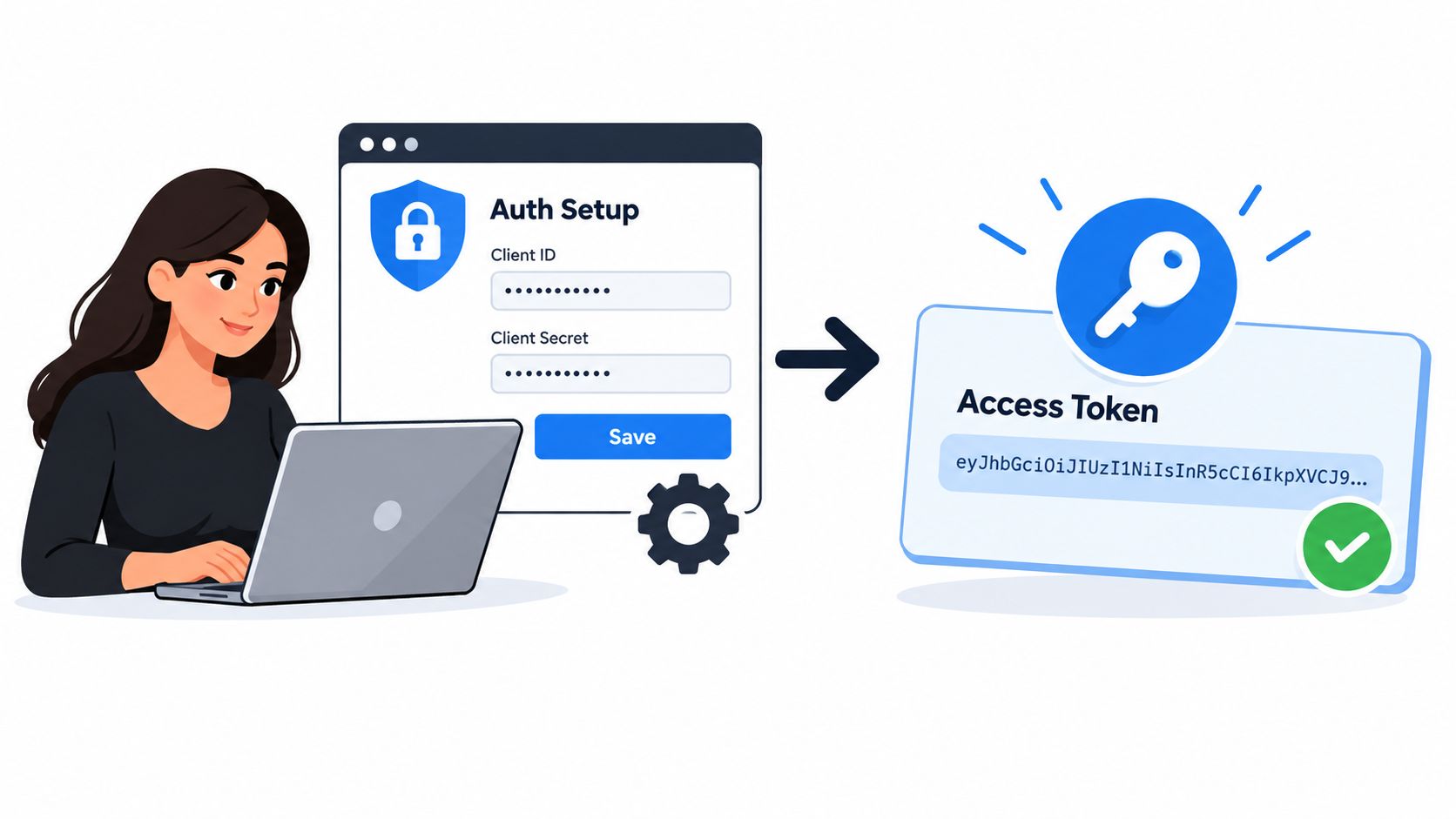
For read-only marketplace discovery, use an application access token rather than a user access token. Register an application in the eBay Developer Portal, choose the target marketplace, and keep sandbox credentials separate from production credentials. Mixing the two environments is a common reason a request appears correctly formed but fails authentication.
The client-credentials flow exchanges your Client ID and Client Secret for a token. Send a POST request with application/x-www-form-urlencoded content to the eBay OAuth token endpoint, using Basic authentication with the base64-encoded Client ID:Client Secret value. The form body should include grant_type=client_credentials and the scope required by the Buy API operation, such as `
A minimal request has this shape:
POST /identity/v1/oauth2/tokenAuthorization: Basic <base64(client_id:client_secret)>Content-Type: application/x-www-form-urlencodedgrant_type=client_credentials&scope=https%3A%2F%2Fapi.ebay.com%2Foauth%2Fapi_scope%2Fbuy.item.feed
Request only the scopes your integration needs. The response includes the access token and an expires_in value. Cache the token in memory or a secure application cache, calculate its expiry timestamp, and refresh proactively rather than waiting for a search call to receive 401 Unauthorized. Never write the raw token to application logs, tracing payloads, exception messages, or analytics events.
Keep environment details explicit
Use production credentials with the production API base URL, and sandbox credentials with the sandbox base URL. Don't let environment selection depend on an incidental configuration default. Store the environment, marketplace ID, client ID reference, token expiry, and requested scopes together in configuration so an operator can see which search client is making a call.
A useful token wrapper exposes only a valid bearer token to the search layer. The search code shouldn't know how credentials are encoded or how renewal works. That separation makes it easier to rotate secrets and prevents business logic from accidentally persisting authentication material.
Your First Working eBay API Search Call
Once the application token is available, call the Browse API item-summary search resource. Send the token in the Authorization header and identify the marketplace with X-EBAY-C-MARKETPLACE-ID, such as EBAY_US. Add Accept-Language when your application needs predictable localized content.
The request can be represented as:
GET /buy/browse/v1/item_summary/search?q=macbook+pro&limit=50&offset=0
Use Authorization: Bearer <token> and the marketplace headers on the request. The Browse API supports keyword, category, GTIN, ePID, charity, compatibility, and image-oriented search inputs, while the published API reference defines limit from 1 through 200 and documents a default page size of 50 (Browse API search reference).
The response normally gives you a result summary plus an itemSummaries array. For an initial integration, persist only the fields your interface or downstream process needs. itemId is the stable identifier you use for later detail retrieval, title provides the display name, price.value and price.currency describe the offer, itemWebUrl gives the user-facing eBay page, and seller.username identifies the seller when returned.
Build the query in layers
Start with q, confirm the response, then add one filter at a time. sort=price orders from lower to higher price, while sort=-price reverses that ordering. Category filters such as categoryIds, aspect filters such as conditionIds:{3000|1000}, and price ranges such as price:[500..1500] should reflect the user's intent rather than being added indiscriminately.
fieldgroups=EXTENDED can expose additional response data, but larger payloads cost more to move and parse. Use it when the interface needs those fields, not as a default. For links shown to users, use the decoded itemWebUrl, not an internal request link.
| Field | Purpose | Example |
|---|---|---|
itemId |
Store an identifier for later item retrieval | v1|... |
title |
Display the marketplace listing name | MacBook Pro ... |
price.value |
Read the numeric offer value | 899.99 |
price.currency |
Interpret the price correctly | USD |
itemWebUrl |
Link users to the listing | eBay item page |
seller.username |
Identify the seller when available | Seller account name |
For repeatable request experiments, use an API playground for structured testing as a reference for the kind of request isolation you want in your own tooling. Keep the first Browse request boring. A successful unfiltered response tells you more than a complex query that fails for several possible reasons.
Pagination, the 10,000-Item Cap, and Filter Strategy
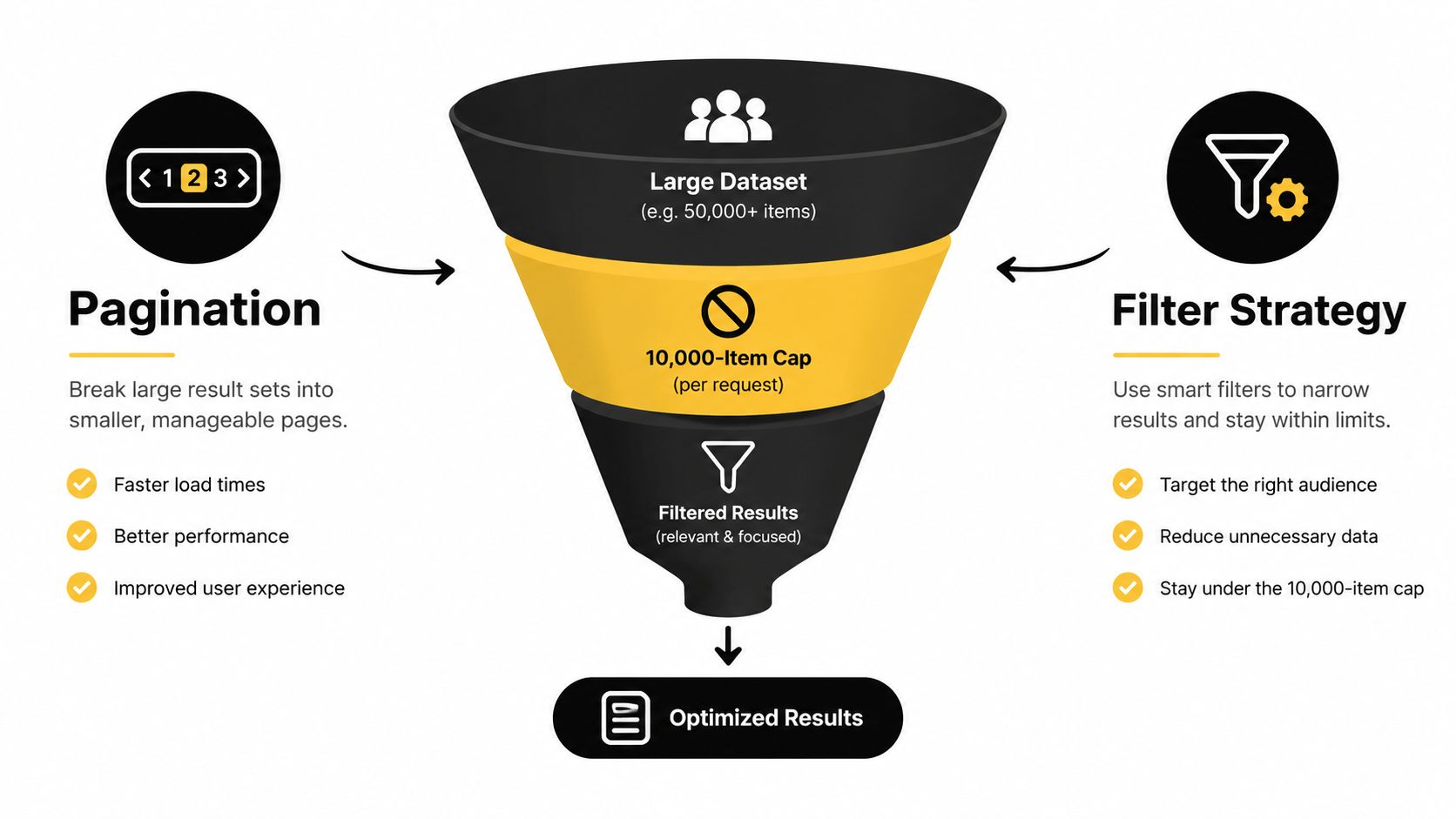
Browse pagination has three constraints. limit sets the page size, offset is zero-based, and each offset must be zero or a multiple of the selected limit. With a limit of 200, valid offsets are 0, 200, 400, and so on. An offset that breaks this pattern returns an error. Browse also caps a search at 10,000 matching listings, as described in the Browse API pagination and result limits documentation.
That cap determines the search design. A broad phrase such as “vintage watch” can match more inventory than one client can safely traverse. Bound the result set before pagination with a Taxonomy API category, condition, price band, geography, seller criterion, or buying option. The filter should reflect the user's intent and create a search that the application can process predictably.
A practical sequence starts with the phrase, identifies the relevant watch category, adds the appropriate condition, and applies a price range. If the set remains too large, divide it by subcategory, price band, or another meaningful facet. A single keyword query never represents the full marketplace inventory, so document the filters that bound each result set.
Preserve the query that produced each page
A subtle failure appears when one request builds filters from mutable user state and the next rebuilds them after that state changes. The offset then points into a different result set. Store the normalized query, filter expression, marketplace, sort order, and last seen item ID with the job or cursor. A timestamp or epoch identifier can help reject stale resumptions instead of combining unrelated pages without notice.
Use the response's next and previous links when they are available. If the client calculates offsets, stop when the next link is absent, the collection is empty, or the total has been exhausted. A safe flow is:
offset = 0; limit = 200; while true: fetch the same query with offset and limit; process itemSummaries; if next link is absent, stop; offset = offset + limit
The 0 → 200 → 400 sequence remains valid only while the filter set and limit stay unchanged. Page one with a price filter and page two without it produces an inconsistent result set. The total also does not authorize requests beyond the platform's maximum result window. As the search approaches the cap, narrow the filters and start a new bounded search.
Browse Search vs Catalog Search and When to Use Each
The most important decision isn't which keyword to send. It's whether the user wants offers or products.
Browse item-summary search returns marketplace listings. Each result represents a live offer with listing-level attributes such as price, seller, shipping information, condition, and availability. That's the right surface for price comparison, shopper-facing discovery, inventory monitoring, or any workflow where the listing itself is the object being evaluated.
Catalog search operates at the product level. Use it when the input is a known GTIN, MPN, ePID, or another product identity and the goal is to find a canonical product record. You can then resolve that product into marketplace offers through the relevant item-group or listing retrieval flow. eBay's documentation separates richer marketplace discovery in Browse from constrained product matching in Catalog, including parameters such as q, category_id, gtin, and mpn (Browse item-summary search inputs).
| Dimension | Browse /item_summary/search |
Catalog /item_search/search |
|---|---|---|
| Primary object | Marketplace listing | Canonical product |
| Best for | Offers, sellers, prices, condition, shipping | Product matching and normalization |
| Typical input | Keyword, category, aspect, price, buying option | GTIN, MPN, product query, category |
| Result shape | Potentially many seller-specific offers | Product records that can map to offers |
| Listing filters | Central to the query | Generally not the right layer |
| User question | “What can I buy now?” | “Which product is this?” |
A useful decision rule is simple. If the user is comparing sellers, call Browse. If the user is deduplicating variants of the same model or aligning an internal SKU to eBay's product identity, start with Catalog.
Don't mix the parameter models. A marketplace price or seller filter doesn't belong in a product-level query. If a Catalog request is built as though it were a Browse request, it can return no results without explaining the conceptual mismatch clearly.
Rate Limits, Throttling, and Common Errors
Quota management belongs in the client, not in an operator's incident response. eBay's Developer Analytics API exposes application- and user-level telemetry, including the count, limit, remaining quota, reset time, and active time window for REST and legacy Trading APIs. Limits depend on the specific API and resource, so there isn't one universal number that safely governs every search client (eBay API call-limit telemetry).
Poll that telemetry for scheduled or high-volume workloads, and maintain a local counter for immediate decisions. When remaining capacity approaches your configured low-water mark, delay non-urgent work. On a 429, don't launch an immediate retry storm. Honor any retry guidance, apply jittered exponential backoff, and limit the number of attempts.
A useful wrapper maps status codes to actions:
400with an offset error: Validate that the offset is an integer, follows the selected limit, and hasn't moved beyond the valid result window. Rebuild the request from the stored query rather than blindly incrementing it.401 Unauthorized: Obtain a fresh application token, then verify the requested scope and environment. Don't retry the same expired bearer value.429 Too Many Requests: Pause, apply backoff with jitter, and reduce concurrency. A retry without throttling usually makes the queue worse.500with an internal error: Treat it as potentially transient, retry within a bounded policy, and record the request ID for investigation.
Operational rule: Retry transient failures, not invalid requests. A wrapper should make the distinction before it schedules another call.
The rate-limit documentation is also a useful checklist for designing a client that separates quota observation, concurrency control, and retry behavior. Keep those concerns independent. A token refresh should not trigger a full search retry unless the original response was an authentication failure.
A Pre-Launch Checklist for Production Search Integrations
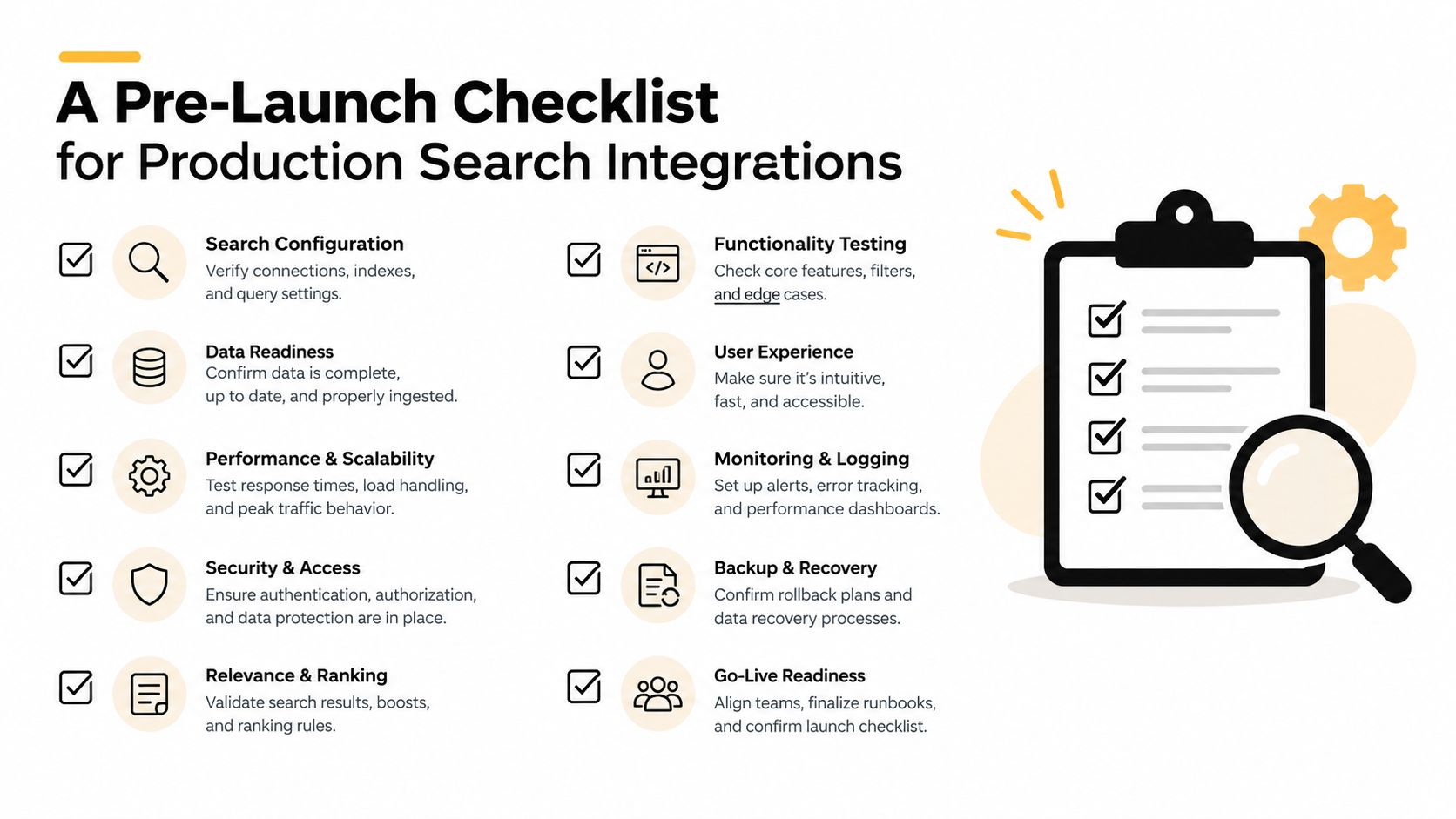
Before launch, keep these five checks beside the deployment ticket:
- Authentication: Confirm the production app has the intended scope, cache the application token securely, and refresh it before expiry.
- First response: Verify the initial
item_summaryrequest returns the expected fields before adding complex filters. - Bounded pagination: Use a stable filter set, enforce the result ceiling, and stop when the total or next link says the search is complete.
- Correct search surface: Document whether each feature uses Browse listings or Catalog products, and why.
- Operations: Poll quota telemetry, throttle adaptively, handle
429responses, and alert on a rise in5xxfailures.
After the first release, learn aspect filtering and study the Inventory API for cross-listing management. Those topics usually become urgent once a team moves beyond keyword discovery and starts managing structured marketplace workflows. Keep an eye on API credit usage and request accounting as your integration expands into additional data operations.
RealtyAPI.io gives developers a unified API for public real estate listings, pricing signals, reviews, availability, and market data, with REST, GraphQL, webhooks, ready-made code snippets, and infrastructure designed for production workloads. If you're building a search or monitoring product and want a comparable data layer outside eBay, visit RealtyAPI.io to get an API key and explore the available integrations.