How to Fetch Real Estate Data by Zip Code Using API

You've probably seen this failure in a property search product. A user enters a ZIP code, expects a clean neighborhood view, and gets listings from two different submarkets, incomplete rental inventory, or market metrics that don't match the map. The filter technically works, but the geography behind it doesn't.
That's the engineering problem with real estate data by ZIP code. A ZIP code is often treated as a simple lookup key, even though postal boundaries, statistical areas, listings, parcels, and market segments rarely line up perfectly. A reliable product needs a data layer that fetches records consistently, preserves their source geography, and normalizes them before aggregation.
The Truth About Real Estate Data by ZIP Code
A property search can fail even when the API request succeeds. One street may share a ZIP code with a luxury enclave several blocks away, while another ZIP may cross a county boundary or include housing stock with completely different price behavior. If your dashboard calculates one median for all of those records, the result may be mathematically correct and commercially misleading.
The problem gets worse when a team combines listing data from one platform with assessor records, rental data, or demographic information from another. Each source may use a different boundary definition, update schedule, property type taxonomy, and address standard. A ZIP filter then becomes the visible label for a collection of records that were never normalized to the same spatial model.
Practical rule: Treat ZIP code as an input and reporting label, not as proof that every record belongs to one coherent housing market.
Scraping individual listing sites usually makes this harder. HTML structures change, pagination behaves differently across sources, and the same property can appear with inconsistent formatting. Municipal datasets add another maintenance burden because field names, parcel identifiers, and geographic coverage vary by jurisdiction.
What a unified data layer changes
A unified API gives the application one ingestion pattern for multiple real estate signals. Your backend can request listings, rentals, pricing information, or short-term rental attributes through structured endpoints, then apply your own normalization rules consistently.
The important shift is architectural. Your product team owns the interpretation layer, while the provider handles source collection, parsing, and delivery. That leaves engineering time for map search, underwriting workflows, alerts, and market analytics instead of repeated scraper repairs.
A ZIP-level search should still return more than an address and asking price. Useful records may include availability, property type, amenities, host or seller attributes, and source metadata. Those fields let your application separate comparable properties before it creates a market summary.
Fetching Property Data with a Unified API
Start by defining the query contract your application needs. At minimum, store the requested ZIP code, source, retrieval time, listing identifier, address fields, coordinates when available, property type, price, status, and any source-specific attributes. Keep the original response alongside normalized fields so you can audit transformations later.
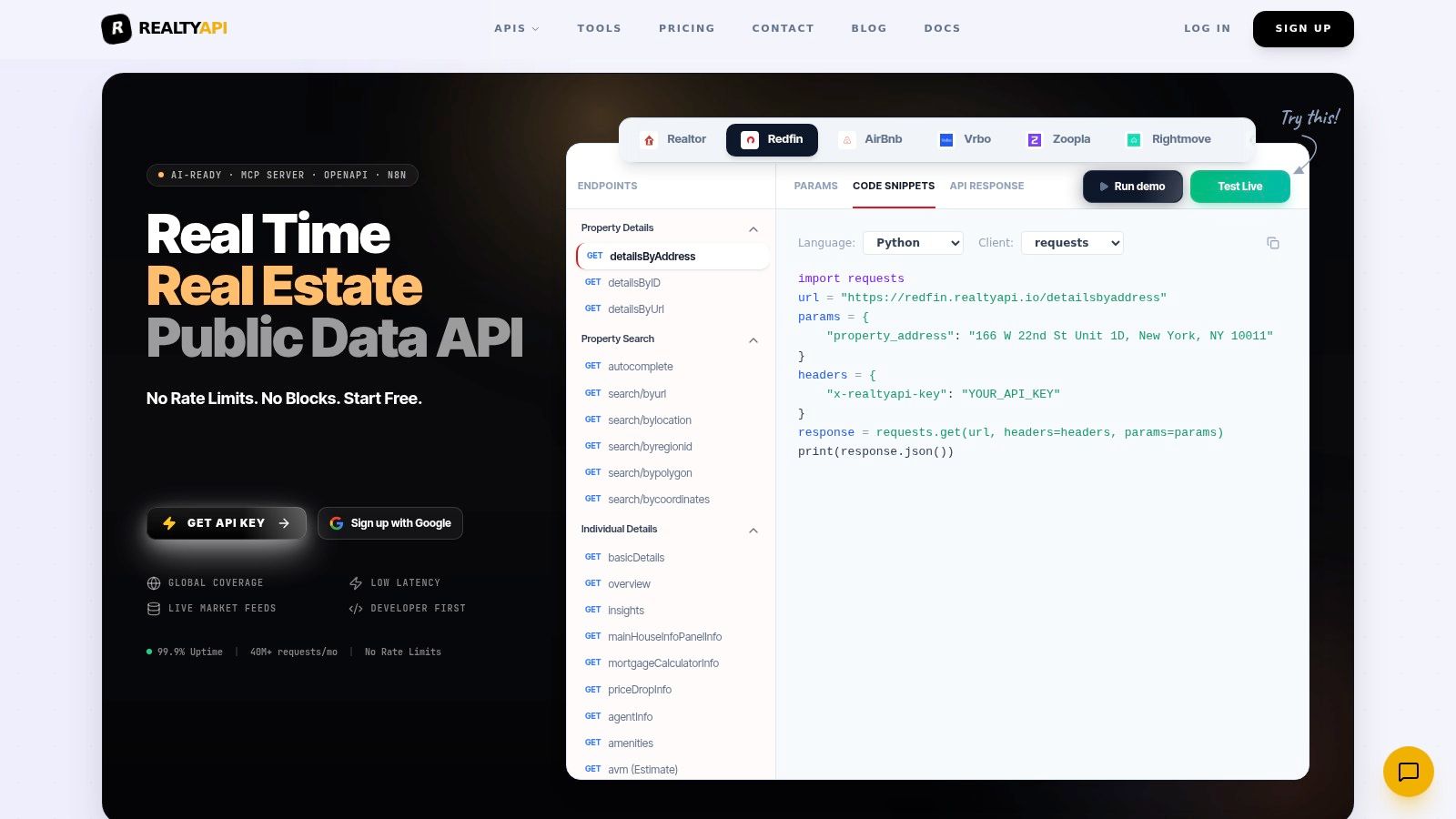
For a Realtor listing workflow, the RealtyAPI.io ZIP search endpoint provides a direct integration path. The request pattern can remain simple: send the ZIP code as a parameter, authenticate with your API key, and parse the returned JSON into your internal listing schema.
Build the ingestion step first
Your application should process the response in stages:
- Validate the request. Reject malformed ZIP inputs before they reach the provider. Preserve leading zeroes by treating ZIP codes as strings rather than integers.
- Normalize identity. Use the source listing ID when available, then combine address and coordinate checks to detect duplicate records across refreshes.
- Separate source fields from product fields. Store the original price and status values, then map them into your own controlled vocabulary.
- Attach retrieval metadata. Record when the listing was fetched and when the source says it was last updated.
- Queue geographic validation. Don't calculate ZIP-level metrics until the address or coordinate has passed your boundary checks.
A compact internal object might contain source_id, source_name, zip_requested, zip_source, latitude, longitude, property_type, price, status, and retrieved_at. The important detail is that zip_requested and zip_source should remain separate. A user's search area isn't necessarily the same as the location value supplied by the source.
Use data snapshot insights when you need a practical way to inspect how raw records translate into observable market patterns. It's useful for checking whether your normalized output still reflects the underlying inventory rather than hiding inconsistencies behind a polished dashboard.
A production integration also needs observability. Log response status, parsing failures, empty results, duplicate rates, and changes in field availability. If you're planning a broader market-monitoring workflow, the following request pattern should be reusable across listing, rental, and short-term rental sources.
Understanding Geographies and Boundaries
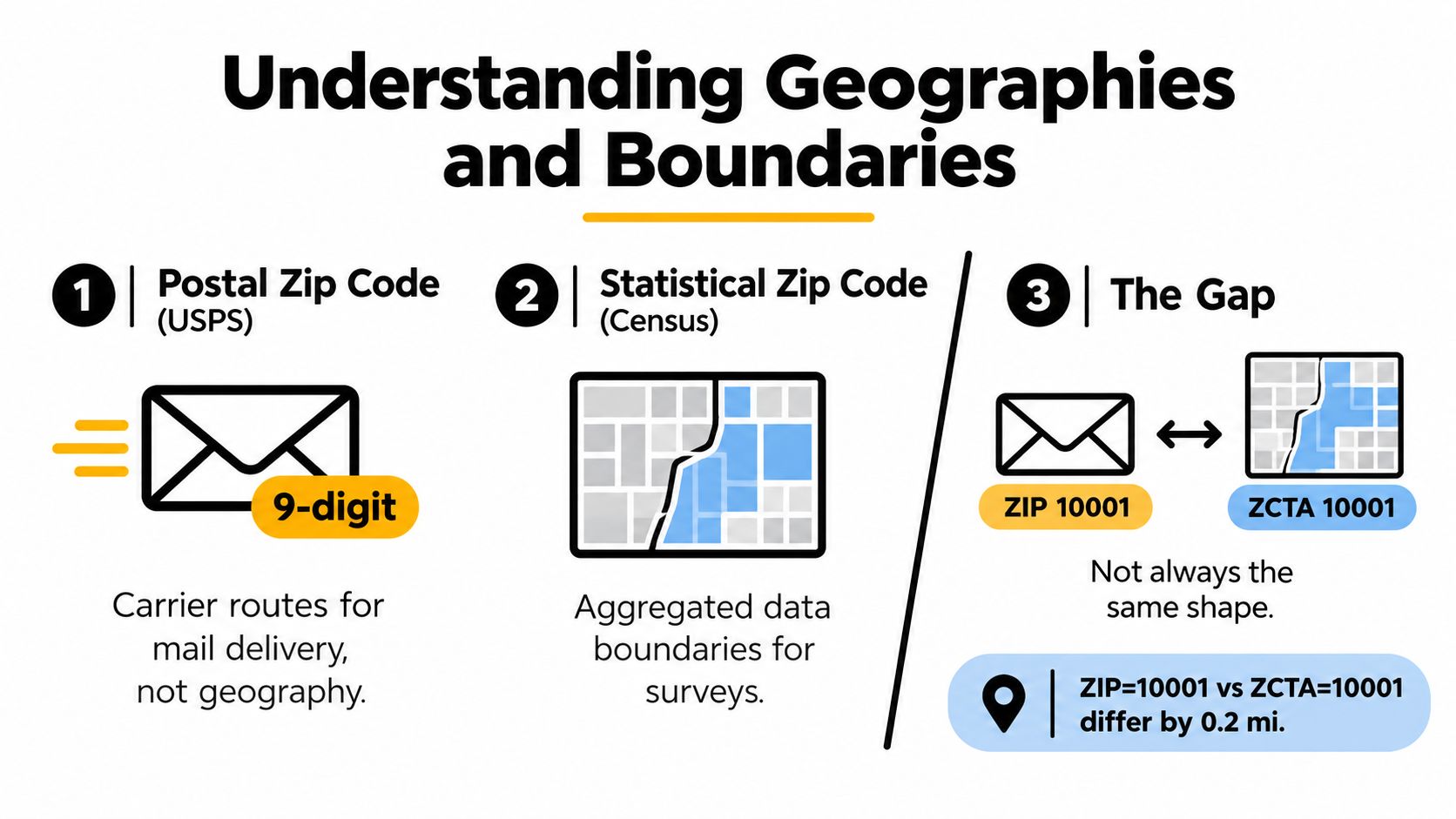
The Census Bureau makes a distinction that every housing-data engineer should understand: standard postal ZIP codes aren't official statistical geographies for housing or demographic analysis. For census products, the bureau uses ZIP Code Tabulation Areas, or ZCTAs, which are generalized representations of ZIP codes.
The Census guidance on finding ZIP code data explains that users can select ZCTAs in data.census.gov, with data available through Summary Level 860 from the decennial census and American Community Survey. The distinction matters because a housing dashboard may label a result with a familiar five-digit ZIP while the underlying demographic or tenure data belongs to a Census-defined approximation.
Why the label can mislead
Postal ZIP codes support mail delivery. ZCTAs support statistical tabulation. Neither automatically represents a neighborhood, school district, appraisal area, or investment submarket.
That creates several practical risks:
- Boundary mismatch: A listing may fall inside one postal service area while the demographic record comes from a ZCTA with a generalized shape.
- Cross-jurisdiction records: ZIP boundaries can cross county or state lines, making county joins unsafe without address-level validation.
- Uneven scale: A dense urban ZIP may cover a small area, while a rural ZIP can cover a much larger territory.
- Historical drift: Postal boundaries and service areas can change, while statistical geographies are designed for comparability across Census releases.
Store both the user-facing ZIP and the analytical geography used for each metric. If your application joins Census data to listings, use a documented crosswalk or spatial intersection rather than assuming that identical ZIP text means identical geometry.
For polygon-driven workflows, a Zillow polygon search endpoint can support a more explicit spatial query. A polygon still needs a defined source and coordinate system, but it gives your product a better way to represent a neighborhood, tract, service area, or custom investment boundary than a bare ZIP string.
Aggregating and Normalizing Market Signals
Raw listings are not market intelligence. They become useful only after you decide which records are comparable and how much evidence a ZIP needs before your application publishes a summary.
The safest sequence starts with the smallest reliable unit, usually a listing, parcel, transaction, or address. Normalize property type, status, living area where available, transaction date, and housing-stock category first. Aggregate to ZIP only after filtering out records that would distort the comparison.
A median sale price can move sharply when one period contains mostly small attached homes and another contains mostly large detached properties. That doesn't necessarily indicate a market shift. It may indicate a composition shift.
A workable normalization pipeline
Use a staged model rather than one large aggregation query:
- Resolve identity. Deduplicate listings and connect repeated observations to the same property when the identifiers support it.
- Classify the asset. Separate single-family homes, condos, co-ops, multi-unit properties, rentals, and other categories your product supports.
- Check temporal validity. Don't mix active inventory with closed transactions as if they represented the same event.
- Filter sparse groups. A ZIP with limited comparable inventory should display uncertainty or suppress the metric instead of presenting a false precision.
- Aggregate by segment. Calculate separate signals for property type and price band before creating a combined view.
- Retain provenance. Every published value should be traceable to its source records, filters, and refresh time.
Technical housing-index workflows commonly address density imbalance through clustering, resampling, missing-attribute imputation, and feature reduction. A similar approach works in a product backend, provided the output remains explainable. K-means or nearest-neighbor imputation can fill selected external attributes, but it shouldn't fabricate transaction history or replace a missing price with an unqualified estimate.
Aggregation should reduce noise, not conceal it. Show users when a ZIP-level result is based on a narrow or mixed sample.
The housing market value endpoint can serve as one market-signal input, but it shouldn't become the only measure in your model. Combine value trends with inventory, listing age, rents, sales volume, and property composition. For investment products, add parcel, tax, zoning, and unit-level data where licensing and coverage permit.
A national index can also exclude important property categories. Conforming conventional mortgage data, for example, may omit condos, co-ops, multi-unit properties, and planned unit developments. If your dashboard presents that kind of index as the complete ZIP market, users may draw the wrong conclusion.
Scaling Your Data Pipeline Reliably
A prototype can request a ZIP and render cards. A production system needs a refresh policy, cache strategy, retry behavior, and a clear response to partial failure.
Start by classifying data according to freshness requirements. Live listing availability may need frequent refreshes, while historical trends and stable demographic attributes can remain cached much longer. Don't make every page load depend on a fresh upstream request.
Cache by meaning, not only by endpoint
Use a cache key that includes the source, operation, geography, filters, and version of your normalization logic. For example, an application might represent a key as realtor:listings:zip:10001:for-sale:v3, keeping the requested ZIP as a string and making schema changes explicit.
A simple application policy can work like this:
- Return a cached result immediately when it's within the freshness window.
- Serve stale data with a visible retrieval timestamp when the upstream service is unavailable.
- Refresh popular ZIP queries asynchronously rather than making every user wait.
- Invalidate derived aggregates when the underlying listing set changes materially.
- Keep raw responses long enough to reproduce a published metric under your retention policy.
For transient failures, use exponential backoff with jitter. In plain application logic, that means retrying after progressively longer delays, adding a small random offset, and stopping after a bounded number of attempts. Don't retry validation errors or malformed requests, because repeated failures won't fix the input.

Measure the pipeline before users report problems
Track cache hit rate, upstream latency, empty-result frequency, duplicate detection, parse failures, and the age of the data shown to users. These signals tell you whether a slow dashboard comes from your database, geographic joins, an upstream response, or an over-aggressive refresh policy.
Read the provider's rate-limit documentation before choosing concurrency and refresh settings. Your client should handle throttling deliberately, rather than treating every non-success response as a reason to start more parallel requests.
Practical Use Cases for Developers
ZIP-level data becomes valuable when it supports a decision, not when it merely adds another map layer. An investor may want to compare rent and price behavior across small areas. A brokerage may need localized inventory alerts. A marketplace may want users to search a familiar ZIP while ranking results with more precise coordinates and property attributes.
Price dispersion is one clear use case. One affordability study found that Palm Beach, Florida ZIP code 33480 had an average single-family home price of $10.9 million, while ZIP code 62914 in Illinois averaged $20,400, a difference of 53,409%, according to the ZIP-level affordability analysis. Those values shouldn't be blended into a national average and presented as representative. They show why ZIP-level segmentation can expose market structure that city or county summaries hide.
Another analysis found ZIP code 90210 in Beverly Hills had a median house price equal to 34.82 times the median annual salary, while ZIP code 48505 in Flint had a ratio of 0.95, with a median home price of $27,703 and local annual earnings of $29,061, as reported in the same research source. An affordability product can turn that relationship into a buyer-income fit measure, provided it clearly identifies the geography, date, property scope, and source behind the calculation.
Products that benefit from normalized ZIP data
- Investor dashboards: Compare price, rent, inventory, and sales activity by property segment instead of relying on one blended ZIP median.
- Brokerage search: Let users begin with a ZIP, then refine results by coordinates, property type, amenities, school boundaries, or custom polygons.
- Rental intelligence: Detect changes in asking rents and available units while preserving the difference between active listings and completed leases.
- Short-term rental tools: Combine destination search with availability, host attributes, amenities, and reviews where the data source provides them.
- Market alerts: Notify users when a listing enters a selected ZIP, crosses a price threshold, changes status, or remains active beyond a configured period.
- Data science workflows: Export normalized records with provenance so analysts can reproduce a metric instead of reverse-engineering a chart.
A structured data library can also support downstream database work. Realtor.com's residential real estate data library describes files designed for database use across multiple geographic levels, including ZIP code. That matters because a serious product needs queryable records, not screenshots or manually maintained spreadsheets.
For historical context, Zillow's ZIP-level metrics coverage includes measures such as home values, rents, inventory, sale prices, volumes, negative equity, and forecasts, with many datasets extending back to the late 1990s. Use that history as a comparison layer, but preserve the source definition and don't assume every metric covers the same property universe.
A concrete local report illustrates the shape of output a product should support. In the Katy-Fulshear area, a 2026 report recorded 563 home sales across six ZIP codes, including 306 sales in the $200,000 to $399,999 range. It reported ZIP code 77493 with the largest year-over-year sales drop at 34.12%, ZIP code 77094 with the highest median sale price at $622,000, and the fastest average sale time at 44 days on market, according to Realtor.com's data research.
The useful lesson isn't to copy those figures into another dashboard. It's to model the dimensions behind them: geography, sales count, price band, median price, change over time, and days on market. Build those dimensions into your schema, validate the boundaries before aggregation, and let users see what the number represents.
RealtyAPI.io provides a unified developer API for listings, pricing trends, market signals, rentals, and short-term rental attributes, so you can fetch ZIP-level records without maintaining separate source scrapers. Start by testing a normalized ZIP workflow, preserve source and geography metadata, and visit RealtyAPI.io to create an API key and evaluate the integration for your product.