Python API REST Example for Real Estate Data

A REST call isn't a call to a Python framework. It's an HTTP request to a resource, and that distinction matters when a property search starts returning partial pages, rate limits, or server errors. Roy Fielding introduced REST in his University of California, Irvine dissertation, submitted in 2000, as an architectural style for network-based applications, not a programming language or API specification (Fielding's dissertation).
Setting Up a Python REST Client for Real Estate Data
A working Python REST example is a resource-oriented HTTP client, not a framework choice. Your code sends requests to addressable resources such as listings or markets, then handles the representations the server returns, often as JSON. The RealtyAPI introduction is a useful place to check how an individual property-data API names its resources and authentication requirements.
Install Requests and keep credentials out of the script:
python -m pip install requests
export REALTY_API_KEY="your-api-key"
The shell command sets the key for the current environment. In a deployed application, configure the environment variable through your hosting platform's secret manager instead of committing it to source control.
Create a persistent session, add the authentication header, and make a first request. Replace the example base URL and path with the endpoint specified by your provider:
import os
import requests

api_key = os.environ["REALTY_API_KEY"]
base_url = "https://api.example.com"

session = requests.Session()
session.headers.update({
    "Authorization": f"Bearer {api_key}",
    "Accept": "application/json",
})

response = session.get(
    f"{base_url}/properties",
    timeout=10,
)

print(response.status_code)
The timeout keeps a stalled request from waiting indefinitely. The session reuses connections across requests, which becomes useful once you're fetching multiple pages or making related calls. The endpoint above is illustrative; confirm the actual path and whether your provider expects a bearer token or a different API-key header.
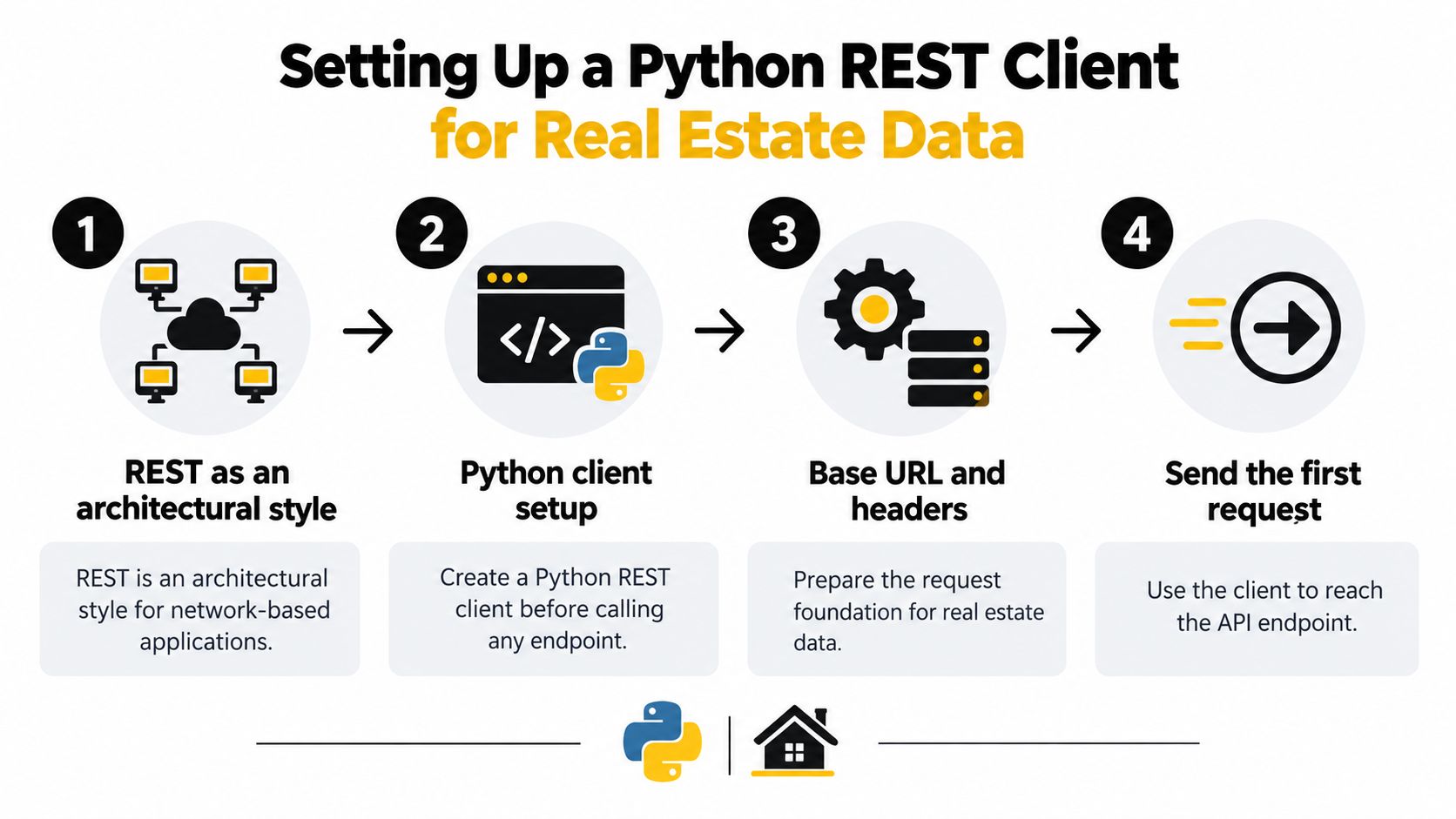
For a broader practical introduction to the Requests library, using Requests for web scraping offers useful context about making HTTP requests in Python. The foundation for the property client is simple: a session, a timeout, and a key that never appears in source control.
Calling a Property Search Endpoint and Parsing the Response
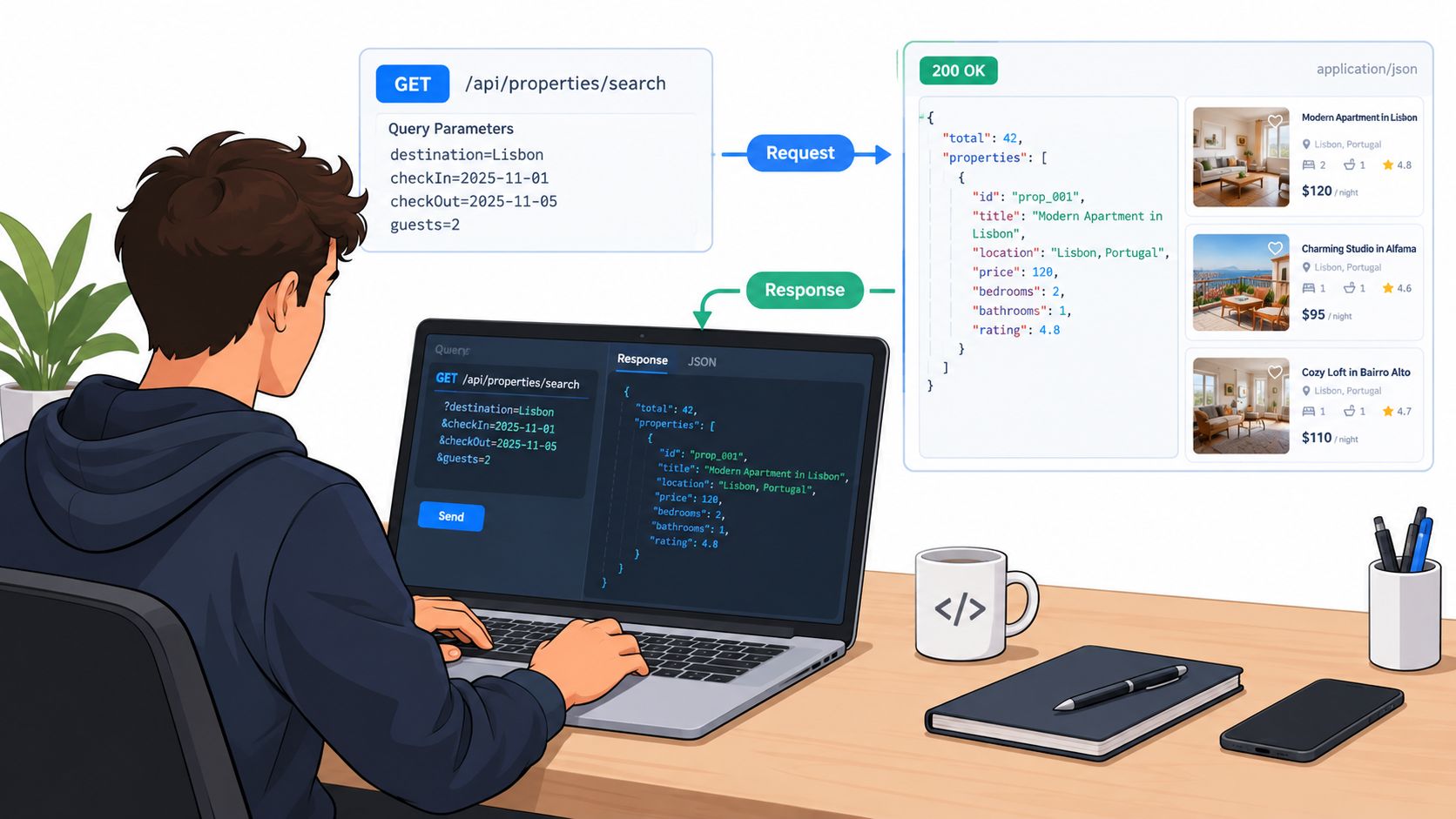
A successful HTTP response doesn't guarantee that every field your application expects is present. First inspect the response, then extract the values you need while treating optional or provider-specific fields as optional. Check the API documentation for the correct path and query parameter names; the realtor search by location endpoint is one example of a property-related search route.
params = {
    "location": "Austin, TX",
    "page_size": 20,
}

response = session.get(
    f"{base_url}/properties/search",
    params=params,
    timeout=10,
)

if response.status_code == requests.codes.ok:
    payload = response.json()
else:
    response.raise_for_status()

print(payload)
Requests exposes both Response.status_code and the symbolic requests.codes lookup. For example, requests.codes.ok represents HTTP 200; raise_for_status() raises an exception for unsuccessful HTTP responses rather than letting your code parse an error body as if it were a search result (Requests API documentation).
A provider might return results inside a properties array, but don't assume that shape without checking its contract. This defensive extraction works with that documented shape and handles missing optional fields:
properties = payload.get("properties", [])
cleaned = []

for item in properties:
    price = item.get("price")
    availability = item.get("availability") or {}
    host = item.get("host") or {}

    cleaned.append({
        "id": item.get("id"),
        "price": price,
        "available_from": availability.get("start_date"),
        "host_name": host.get("name"),
    })
Keep payload available while debugging. That raw response helps distinguish a changed provider schema from a mistake in your parsing code. In your own API, a declared response schema also helps keep output predictable: FastAPI's response_model uses Pydantic to serialize returned data to JSON (FastAPI response models). For broader thinking about connecting systems, this integration guidance for retail tech leaders offers a useful perspective beyond property data.
Fetching Paginated Results Without Losing Data
A search response may represent only one page. Fetch pages until the API signals there are no more results, and guard against a repeated cursor so a malformed response can't trap your process in an infinite loop. The exact field names vary by API, so adapt next_cursor and properties to the documented response.
def fetch_all(session, url, params, max_pages=100):
    results = []
    cursor = None
    seen_cursors = set()

    for _ in range(max_pages):
        page_params = {**params, "page_size": 50}
        if cursor:
            page_params["cursor"] = cursor

        response = session.get(
            url,
            params=page_params,
            timeout=(3, 15),
        )
        response.raise_for_status()
        page = response.json()

        items = page.get("properties", [])
        if not items:
            break

        results.extend(items)

        next_cursor = page.get("next_cursor")
        if not next_cursor or next_cursor in seen_cursors:
            break

        seen_cursors.add(next_cursor)
        cursor = next_cursor

    return results
The page-size cap protects your client from unexpectedly large responses and avoids asking the upstream service for an unbounded result set. The max_pages limit is a separate safety stop; tune it to the use case rather than assuming every search should exhaust every available record.
Cursor pagination uses a token to continue from a point in the result set. Offset pagination asks for a numbered slice, which can shift if records are added or removed while the client is paging. Caching stable metadata, such as lookup values that change infrequently, can also reduce repeated calls. Don't cache live availability as if it were static; decide freshness based on what the application promises its users.
Handling Errors and Retries in a Python REST Client
HTTP status codes fall into five classes: 1xx informational, 2xx successful, 3xx redirection, 4xx client error, and 5xx server error. A client can branch on the broad class while handling specific responses such as 400, 401, or 500. The FastAPI response-model documentation describes these status classes and illustrates specific response codes.
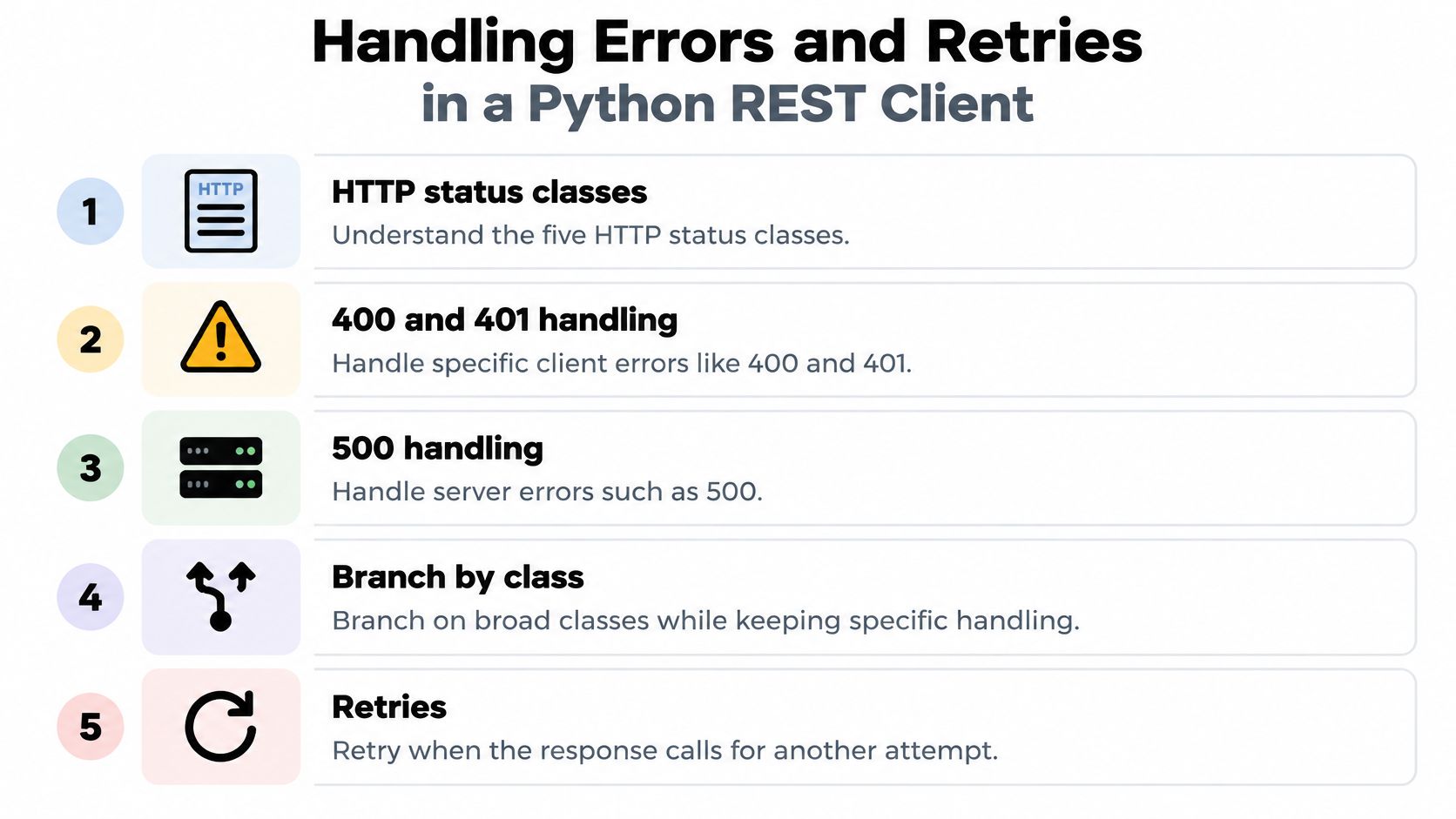
Requests doesn't retry failed connections by default. For safe, repeatable retrievals, attach a bounded retry policy to the session and include transient responses such as 429 and selected 5xx codes. Retry-After, when supplied by the server, can guide the wait before another attempt. The Requests documentation covers timeouts, sessions, and request behavior (Requests API reference).
from requests.adapters import HTTPAdapter
from urllib3.util.retry import Retry

retry_policy = Retry(
    total=3,
    connect=3,
    read=3,
    status=3,
    backoff_factor=0.5,
    backoff_jitter=0.2,
    status_forcelist=[429, 500, 502, 503, 504],
    allowed_methods={"GET", "HEAD", "OPTIONS"},
    respect_retry_after_header=True,
)

adapter = HTTPAdapter(max_retries=retry_policy)
session.mount("https://", adapter)
Treat those settings as a starting point, not a substitute for a request deadline. Backoff can add waiting time, so account for it in the latency budget of the calling application. A retry policy should have a clear ceiling, and its delays shouldn't cause the user-facing operation to outlive its deadline.
Practical rule: Retry safe reads, not every failure. A timed-out POST may already have been accepted by the server, so sending it again can create a duplicate write unless the API supports idempotency keys.
Call raise_for_status() after the request and log the method, endpoint, latency, attempt count, and correlation ID. For more detail on provider-specific status behavior, consult the RealtyAPI status-code documentation.
Choosing Between a Hand-Rolled Client and a Managed Data Layer
A hand-rolled client gives you direct control over request construction, field mapping, caching, and error handling. That's often the right choice when you integrate with one stable provider and need a narrow set of data. The trade-off is ownership: your team maintains authentication, pagination, retries, provider-specific error translation, and schema changes.
A managed data layer can reduce the number of provider-specific behaviors your application has to implement. Before choosing one, verify which sources and fields it covers, how it handles pagination and failures, and whether its contract fits your application. A unified interface can simplify multi-source searches, but it also introduces a dependency and a mapping layer you'll need to understand when data looks inconsistent.
| Concern | Hand-Rolled Requests Client | Managed Data Layer |
|---|---|---|
| Authentication | Implement and maintain provider-specific headers or tokens | Follow the layer's authentication contract |
| Pagination | Build cursor or offset handling for each API | Check whether pagination is normalized |
| Retries and errors | Configure policies and map provider failures | Confirm which retry and error behaviors are exposed |
| Multiple sources | Integrate and reconcile each provider | Check supported sources and available fields |
| Control | Choose request details and transformations directly | Trade some low-level control for a shared interface |
For instance, a platform may provide REST alongside GraphQL or webhooks, and may support searches by location, coordinates, place identifier, or URL. Those capabilities are useful only if they match your workflows; confirm the live documentation and terms rather than inferring coverage from an API's general description. The OpenAPI integration documentation can help you assess how a documented contract fits your tooling.
Your data workflow may also involve operational tools beyond an API client. A guide to VerticalRent's free landlord tools can help frame that broader property-management context. Choose a hand-rolled client when the integration is narrow and control matters most; consider a managed layer when maintaining multiple provider contracts is the larger burden.
Putting the Full Python REST Example Together
A maintainable client keeps configuration in one place, shares a session, and centralizes the request behavior. The following example combines bounded page fetching with explicit status handling; set the environment variables and adjust the endpoint and response fields to match the provider's documented contract.
import os
import requests
from requests.adapters import HTTPAdapter
from urllib3.util.retry import Retry

BASE_URL = os.environ["PROPERTY_API_BASE_URL"]
API_KEY = os.environ["REALTY_API_KEY"]

session = requests.Session()
session.headers.update({
    "Authorization": f"Bearer {API_KEY}",
    "Accept": "application/json",
})

policy = Retry(
    total=3,
    status=3,
    backoff_factor=0.5,
    backoff_jitter=0.2,
    status_forcelist=[429, 500, 502, 503, 504],
    allowed_methods={"GET", "HEAD", "OPTIONS"},
    respect_retry_after_header=True,
)
session.mount("https://", HTTPAdapter(max_retries=policy))

def get_page(path, params):
    response = session.get(
        f"{BASE_URL}{path}",
        params=params,
        timeout=(3, 15),
    )
    response.raise_for_status()
    return response.json()

def fetch_properties(location, max_pages=100):
    results = []
    cursor = None
    seen = set()

    for _ in range(max_pages):
        params = {"location": location, "page_size": 50}
        if cursor:
            params["cursor"] = cursor

        page = get_page("/properties/search", params)
        items = page.get("properties", [])
        if not items:
            break

        results.extend(items)
        next_cursor = page.get("next_cursor")

        if not next_cursor or next_cursor in seen:
            break

        seen.add(next_cursor)
        cursor = next_cursor

    return results
Before shipping, check that the API key isn't hardcoded, connect and read timeouts are set, retries apply only to idempotent requests, and pagination has a stopping condition. Add structured logs with a correlation ID so you can trace a slow or failed search without logging credentials or sensitive response fields. The order matters: control waiting time first, handle HTTP failures explicitly, limit retries, then add observability.
Get a free API key, point the client at a live property search, and verify that it stops cleanly when the response has no next page or repeats a cursor.
RealtyAPI.io provides a unified real-estate data layer with REST, GraphQL, and webhook options for property searches and related data. If you'd rather test a shared data interface than maintain provider-specific request logic, visit RealtyAPI.io and try it with a small search client.