Curl in JavaScript: A Practical Translation Guide

Most advice on curl in JavaScript starts in the wrong place. It treats the job like a mechanical rewrite, when the failure usually comes from running the request in the wrong environment, with the wrong trust boundaries, and with the wrong assumptions about how HTTP behaves outside the terminal.
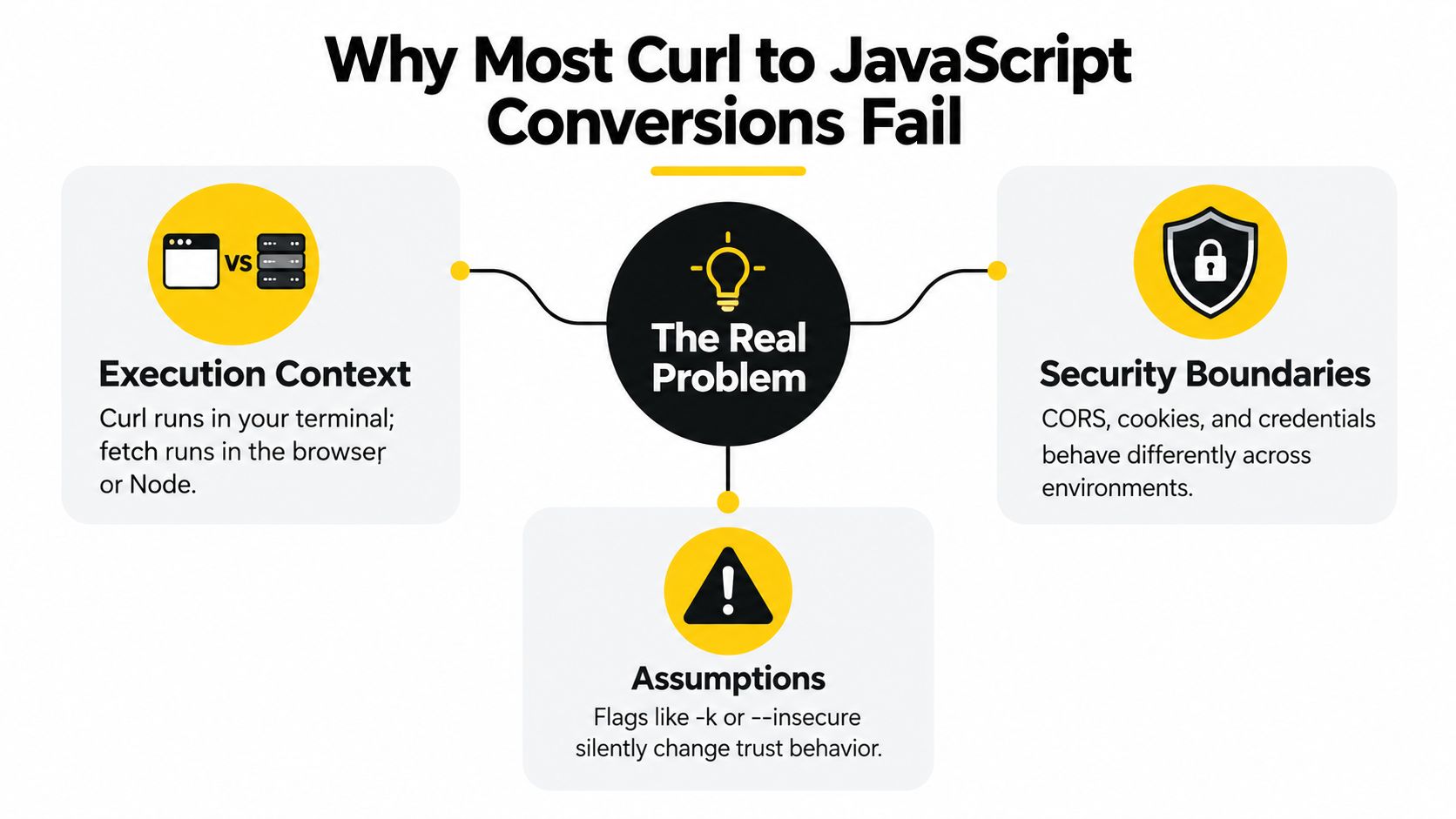
Why Most Curl to JavaScript Conversions Fail
The strongest curl command in the world can still fail the moment it leaves your terminal. A developer proves a property-search endpoint with curl, pastes the same URL into browser JavaScript, and suddenly hits a wall that has nothing to do with syntax. That gap is usually about execution context, CORS, and where the credentials live, not whether fetch() was spelled correctly.
The boundary is the bug
curl runs where you launch it, but browser JavaScript runs inside a sandbox. That means a request that works in a shell can fail in the browser because the target server doesn't allow the origin, the browser sends a preflight, or the code tries to expose a secret that should never sit in frontend JavaScript. A terminal request can also hide the fact that the browser will refuse to read the response even when the network call itself reached the server.
A practical rule helps here.
Practical rule: if the request needs a secret, keep it server-side and expose a controlled endpoint to the browser instead of teaching the frontend to impersonate your terminal.
Node.js sits in a different place. It can use built-in fetch() in modern runtimes, or it can call curl itself through a process wrapper, but neither choice removes the responsibility to decide where the request belongs. Serverless functions and edge code add another layer, because the same API call may succeed in one runtime and fail in another only because the deployment boundary changed.
A good mental model is simple. Terminal, browser, Node.js, and serverless are not interchangeable. They may all issue HTTP requests, but they don't share the same security rules, origin rules, or operational constraints.
Proving the Request With Curl First
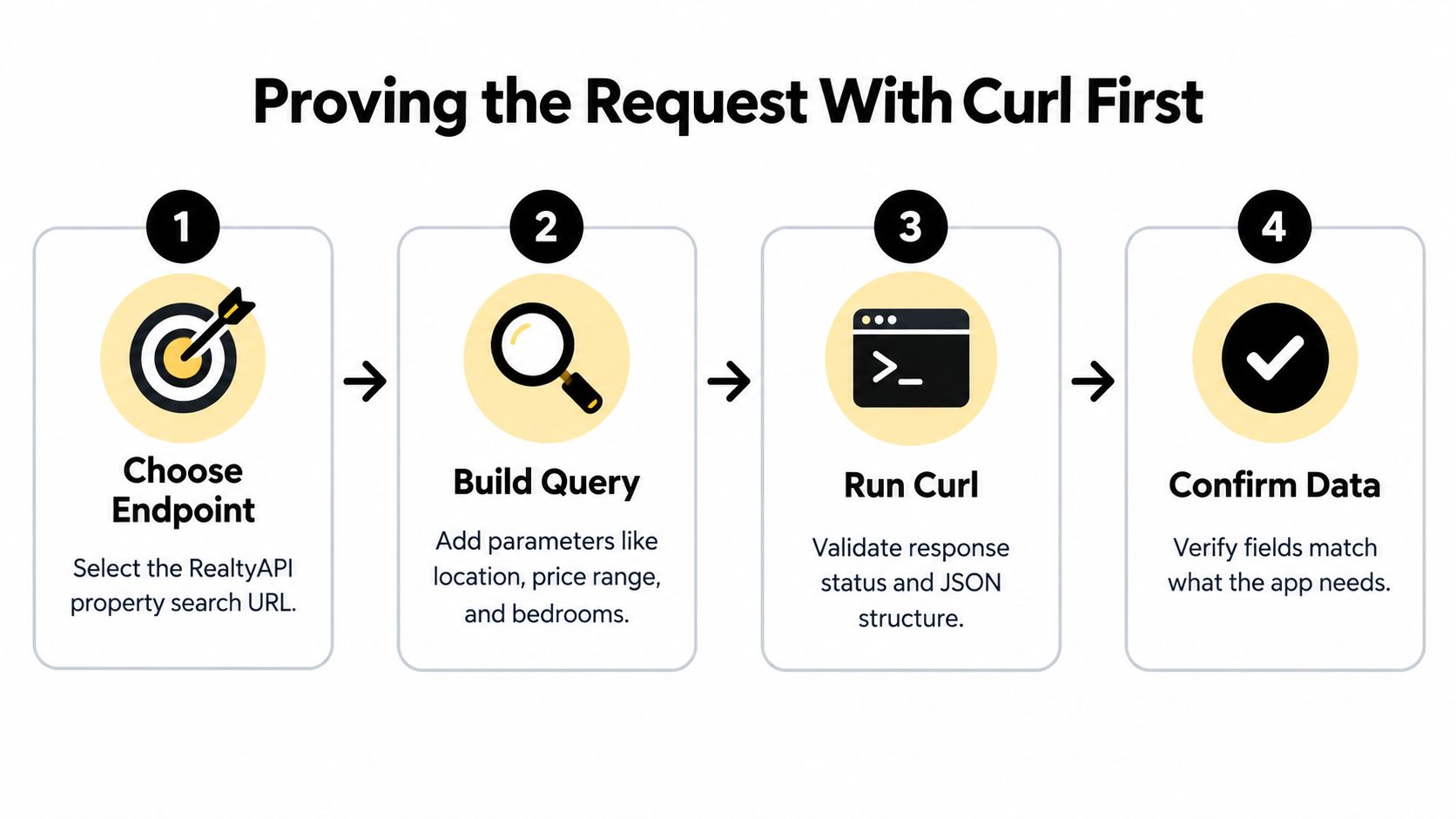
The cleanest migration starts with a terminal request that you can trust. For a RealtyAPI-style property search, that means choosing the endpoint, adding the query parameters you need, sending the API key in a header, and checking the status plus the JSON shape before any JavaScript exists. The docs playground is a useful reference point for that first pass, especially the RealtyAPI API playground when you want to confirm the request contract before wiring code.
A terminal is still the best debugging surface for raw HTTP because it has no framework assumptions, no SDK drift, and no hidden retry behavior. You can see the exact URL, headers, body, and status code without wondering whether a library changed the request under the hood. If you're trying to validate a request flow before putting it into an app, an AI presentation demo can help you explain the request sequence to a non-technical teammate, but the wire-level proof still belongs in curl.
What to verify before translating
Use the terminal to pin down the request in a way you can reproduce later.
- Endpoint choice: confirm the search URL itself is correct and stable.
- Query shape: verify location, price, or bedroom filters land in the URL exactly as intended.
- Authentication: put the API key in the header the server expects, not in the body or the frontend.
- Response structure: inspect the JSON fields the app will consume.
That becomes your baseline. Every JavaScript version should match the same method, URL, headers, and body, or you're debugging a different request entirely.
Mapping Curl Flags to JavaScript Options
A curl command breaks down into four things JavaScript needs, method, URL, headers, and body. Everything else is just notation. In practice, -X becomes method, --url becomes the string you pass to fetch(), -H becomes the headers object, and -d or --data-raw becomes the serialized body.
Build the request from the wire up
When the payload is JSON, don't hand JavaScript a plain object as if the runtime will guess your intent. Use JSON.stringify() and set an explicit Content-Type, because the server reads bytes, not your mental model. A safe pattern also uses URL and URLSearchParams so the query string doesn't break when a value contains spaces, slashes, or other characters that string concatenation handles badly.
For a property search, the mapping usually looks like this:
- Method flag
-X: setmethod: 'GET'ormethod: 'POST'. - Headers
-H: setheaders: { 'X-API-Key': '...', Accept: 'application/json' }. - Body
-dor--data-raw: setbody: JSON.stringify(payload)for JSON APIs. - Full URL
--url: assemble it from a base URL plusURLSearchParams.
The important part is not the syntax itself, it's the intent behind it. If the curl command includes an Accept header, keep that header in JavaScript too, because it makes the response format explicit and removes ambiguity during debugging. If the original request depends on a query string, build it programmatically instead of string-pasting values into the URL.
Practical rule: translate the request, not the shortcut. The browser or Node runtime should send the same HTTP semantics that curl proved in the terminal.
Choosing the Right JavaScript HTTP Client
The client choice changes the shape of the work, especially for property-data APIs that need predictable requests and readable failures. Browser fetch is the right fit for frontend code that's already subject to CORS and origin rules. Node fetch fits server code, especially when you want to avoid extra dependencies and keep startup friction low. Axios earns its place when you want interceptors, request cancellation ergonomics, or shared patterns in an isomorphic codebase. A GraphQL client belongs only when the API already exposes GraphQL and the query model is better than REST for the task.
| Client | Best For | Key Strength | Main Limitation |
|---|---|---|---|
| Browser fetch | Frontend apps | Native in the browser | CORS and sandbox limits |
| Node fetch | Server-side JavaScript | Built in on modern Node | Needs careful status handling |
| Axios | Shared app code and richer request hooks | Familiar API and interceptors | Extra dependency and different defaults |
| GraphQL client | GraphQL endpoints | Query shape matches schema | Not useful for plain REST calls |
For teams comparing integration styles, Vision's take on API integration tools is a useful reminder that the right client depends on the system around it, not just the method call. The same applies to RealtyAPI integrations, where the integration docs help you decide whether the request belongs in a browser, backend, or a separate service.
One more option that people forget
Sometimes the right answer is to run curl itself from Node through child_process. That's a narrow choice, but it can be the cleanest path when you need an exact shell replay for a one-off migration or a legacy script. It's not the right long-term API client, but it can be the most faithful diagnostic tool when you're comparing an existing terminal command with a new code path.
Handling Headers, Bodies, and GraphQL Payloads
Headers are where most real integrations drift. Authentication, content negotiation, and body encoding all have to line up, or the JavaScript version sends something that looks close and behaves wrong. A REST property-search request with an X-API-Key header translates cleanly into axios when you keep the header explicit and serialize the payload exactly once.

REST first, then GraphQL if the API calls for it
If the curl request uses --data-raw, check whether the payload is JSON or form-encoded before you translate anything. JSON should be stringified and sent with Content-Type: application/json, while form data belongs in a form body or FormData. For a GraphQL request, the body usually contains a query string plus variables, and those variables should be passed as structured JSON, not interpolated into the query string.
A simple axios conversion for REST often looks like this in shape, even if the exact fields vary:
- URL: the property endpoint stays unchanged.
- Header:
X-API-KeyorAuthorizationgoes intoheaders. - Body: the JSON payload becomes the
dataargument. - Parsing: the response stays in
response.data, notresponse.text().
If the API expects a Bearer token, keep that token on the server side. The browser shouldn't own credentials that can call the upstream directly unless you've accepted that trust boundary on purpose. For GraphQL, keep the query template stable and send user-specific values through variables, because that preserves structure and reduces the risk of malformed requests.
Before you ship, compare the JavaScript output against the original curl response. If the server returns the same fields in the same shape, you've translated the request correctly. If not, the mismatch usually lives in the headers or body encoding, not the endpoint itself.
Making the JavaScript Request Production Ready
A working request isn't production-ready until it handles failure correctly. The most common mistake is treating fetch() like it rejects for HTTP errors. It doesn't. A 404, 401, or 500 still produces a fulfilled Response, which means your code must inspect response.ok or response.status before it trusts the payload.
Make transport and HTTP failure separate
That distinction matters for real-estate data integrations because a valid error body can still contain useful diagnostics. A 401 might tell you the key is missing, a 429 may include retry guidance, and a 5xx can return a body worth logging. The request should also set a deadline with AbortController or AbortSignal.timeout() so a slow upstream doesn't stall the whole workflow the way a long-running curl command can be bounded with a timeout.
Retries need discipline. Retry only network failures and status codes you've explicitly marked as transient, then use exponential backoff with jitter so you don't hammer a struggling upstream. Don't retry mutations unless the operation is idempotent or protected by an idempotency key, because a second attempt can create duplicate writes or stale records.
Practical rule: timeout, status check, parse, and retry should all be separate decisions. Mixing them together is how a useful error turns into a silent data bug.
In Node.js, the runtime details matter too. The built-in fetch stack is powered by Undici, and default calls can create a new connection per request, so high-volume systems should reuse a configured client or dispatcher. That's the difference between a script that works in staging and a service that stays stable under load.
For teams building around rate-limited APIs, the Stella Proxies guide for data engineers is a solid reminder that reliability is mostly about control points, not just request syntax. The rate limits guidance belongs in the same mental bucket, because retry policy and concurrency control should be designed together.
Verification Checklist Before Shipping
Before you merge the translated request, confirm parity against the original curl output and run the status matrix on purpose. Check 401, 403, 404, 429 with Retry-After, and 5xx responses, plus separate tests for CORS, authentication, DNS, and TLS failures. Keep credentials server-side, document whether the snippet is for browser, Node, or serverless, and make sure you're not treating HTTP errors as rejected promises or retrying a permanent failure.
The status codes reference should be part of that review, especially if you're wiring a property-data workflow that has to survive partial outages and upstream limits.
RealtyAPI.io gives developers a real estate data layer for search, listings, pricing trends, and live market signals through REST, GraphQL, and webhooks. If you're converting curl into production JavaScript for property data, visit RealtyAPI.io and compare the request patterns against the platform's APIs before you ship.